

Of all the radon monitors I’ve used, two have stood out from the rest, and they also happen to sit within $10 of each other. That makes the Aranet Radon Plus vs Airthings Corentium Home 2 decision one that many people end up facing, and it’s not an easy one to make, because both are accurate, both run on Bluetooth and both are designed to sit in one place for years.
With accuracy this close, the choice really comes down to features. Pick the Aranet Radon Plus for adjustable alarms, extra sensors and data export, or the Corentium Home 2 if you'd rather have a simpler, slimmer device or already use Airthings products.
I tested the Aranet Radon Plus in late 2024, alongside the original Corentium Home, the EcoQube and the RadonEye, and the Corentium Home 2 a year later. Both units were sent to me for review. I should also say upfront that I’m based in the Philippines, where radon isn’t a major concern, so neither device ever saw the kind of levels that would worry a homeowner in a high-radon area.
If you want the full detail, you can find my Aranet Radon Plus review and my Airthings Corentium Home 2 review here, and my best radon monitors guide covers the wider market. In this article, I will compare the two on accuracy, how they report radon, design, app and smart home support, and cost, with a short look at the cheaper Aranet Radon One along the way.

I independently review air quality monitors with a focus on accuracy. I’ve tested well over 50 devices, compared some of them against reference instruments, and rely on peer-reviewed research and third-party studies wherever possible.
I don’t accept sponsored posts or paid reviews, and I don’t run ads on BreatheSafeAir. When I receive a free product, the company has no say in what I write. Affiliate links don’t influence my views and never increase the price you pay.
I’m constantly learning about how these sensors work – from opening them up, discussing with researchers in the field and examining the hardware inside. That ongoing learning process helps me write reviews that are grounded in how the technology actually behaves, not just what the spec sheet says.
You can read my full Disclaimers & Ethics page for complete details. And as with any review, even mine, I always encourage checking multiple independent sources before making a decision.
This post contains affiliate links. For more information, please refer to my affiliate disclaimer. I was sent a product for review, but the article is not sponsored. All opinions expressed in this post are my honest thoughts. I only recommend products that I genuinely believe in.
Informational Purposes: Information on this blog is for informational purposes only. Readers are encouraged to confirm the information herein with other sources. This website assumes no responsibility for the accuracy of the information, and information is subject to change without notice. Products mentioned on this website are not medical devices and do not guarantee protection.
If you notice any errors or inconsistencies in this article, please contact me so I can update the information accordingly.
Contents
Accuracy & Sensors
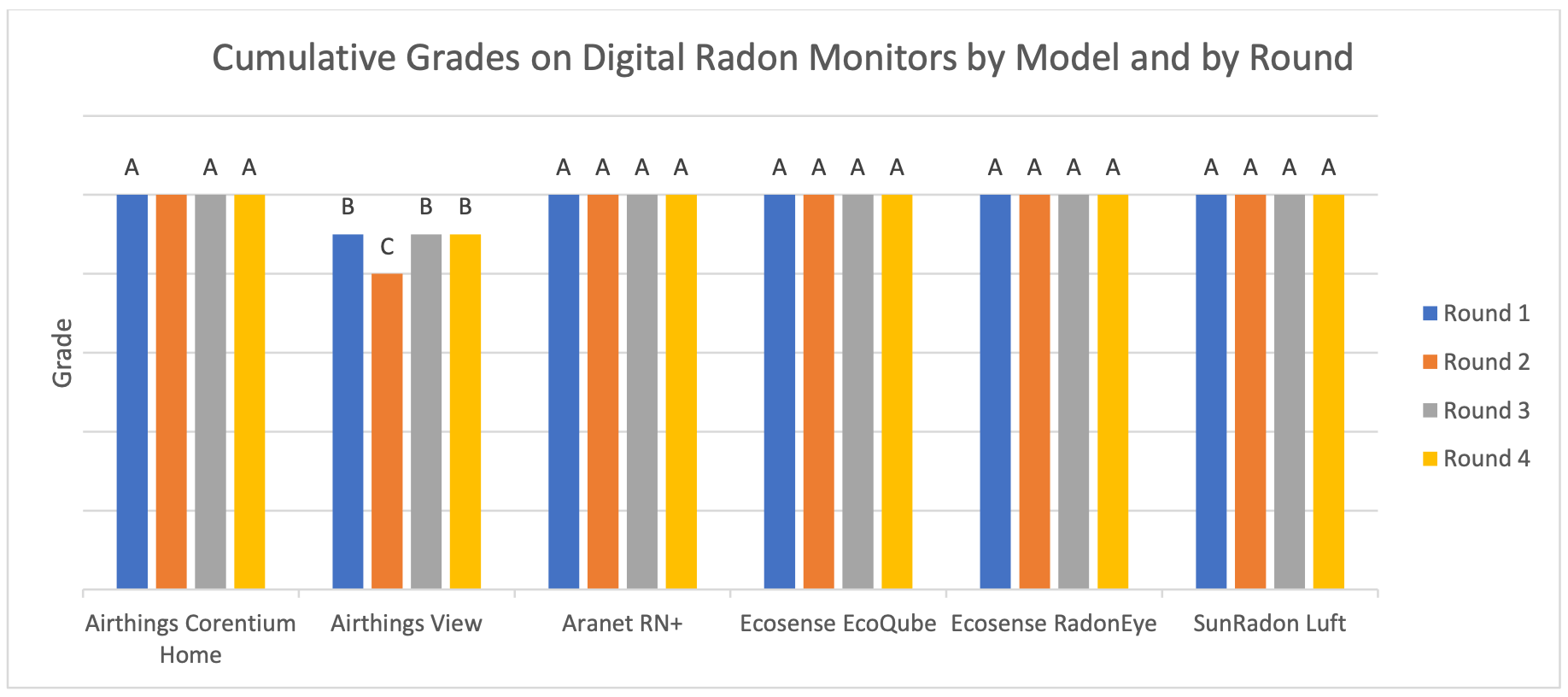
Image from C-NRPP. View the full report here.
Luckily, accuracy shouldn’t decide this one. The C-NRPP (the Canadian National Radon Proficiency Program) is one of the few organisations that regularly tests consumer radon monitors against known radon concentrations, and in its 2025 results the original Corentium Home earned A grades across the board, meaning it stayed within 10% of the true value after seven days. The Corentium Home 2 appears to use that same sensor, which is exactly what I’d want to see, as a sensor with years of independent testing behind it is easier to trust than a brand new one. The Radon Plus was also tested in the same round and performed well.
On paper, Aranet specifies the Radon Plus at ±8%, and it’s one of the few brands that tells you this applies to 95% of readings. Airthings says the Corentium Home 2 shows usable values after 24 hours and becomes accurate to ±10% after four to seven days, depending on the radon level. That 2% gap on the spec sheet is too small to matter in practice, and since no measuring device is perfect, a small difference between a stated accuracy and a real-world result is expected rather than a sign that either claim is false.
My own readings can’t separate the two either, because I tested them a year apart in places with very little radon. The Radon Plus sat in the condo I was staying in, where it averaged around 20 Bq/m³ and only spiked to around 50 Bq/m³ for short periods. The Corentium Home 2 ran next to several other monitors for a month, and all of them stayed consistently below 10 Bq/m³. These are results from two separate tests, not a head-to-head accuracy comparison.
Both also measure temperature and humidity, but the Radon Plus adds an air pressure sensor. You won’t see pressure on its screen, as Aranet uses it to correct the radon readings, which were found to have a slight dependency on air pressure. Against the Traceable monitor I use as a reference, the Radon Plus stayed within half a degree Celsius and a few percentage points of humidity.
BreatheSafeAir is a one-person publication. Every share and every subscriber is important to me.
I don’t have a marketing budget or a team behind me. Just a lot of test equipment and a genuine interest in helping you make sense of your air quality. If you find this useful, subscribing to my newsletter is the best free way to support the work. You’ll get information on what I’m currently testing, findings that don’t make it into the full reviews, and the kind of detail you only get from someone who thoroughly tests these devices.
Short-Term vs Long-Term Radon Readings

Before comparing the screens, it’s worth explaining why these monitors show several different numbers. Radon levels rise and fall throughout the day and from week to week, depending on things like the weather and how much you ventilate your home, so a single reading (or even a 24-hour average) can be misleading. The longer an average runs, the more those swings even out and the closer it gets to your home’s real radon level.
That’s why the 7-day and 30-day averages are the numbers to watch on either device. The C-NRPP goes even further and recommends waiting at least three months before acting on a radon monitor’s readings, which is the same advice I’d give for both of these.
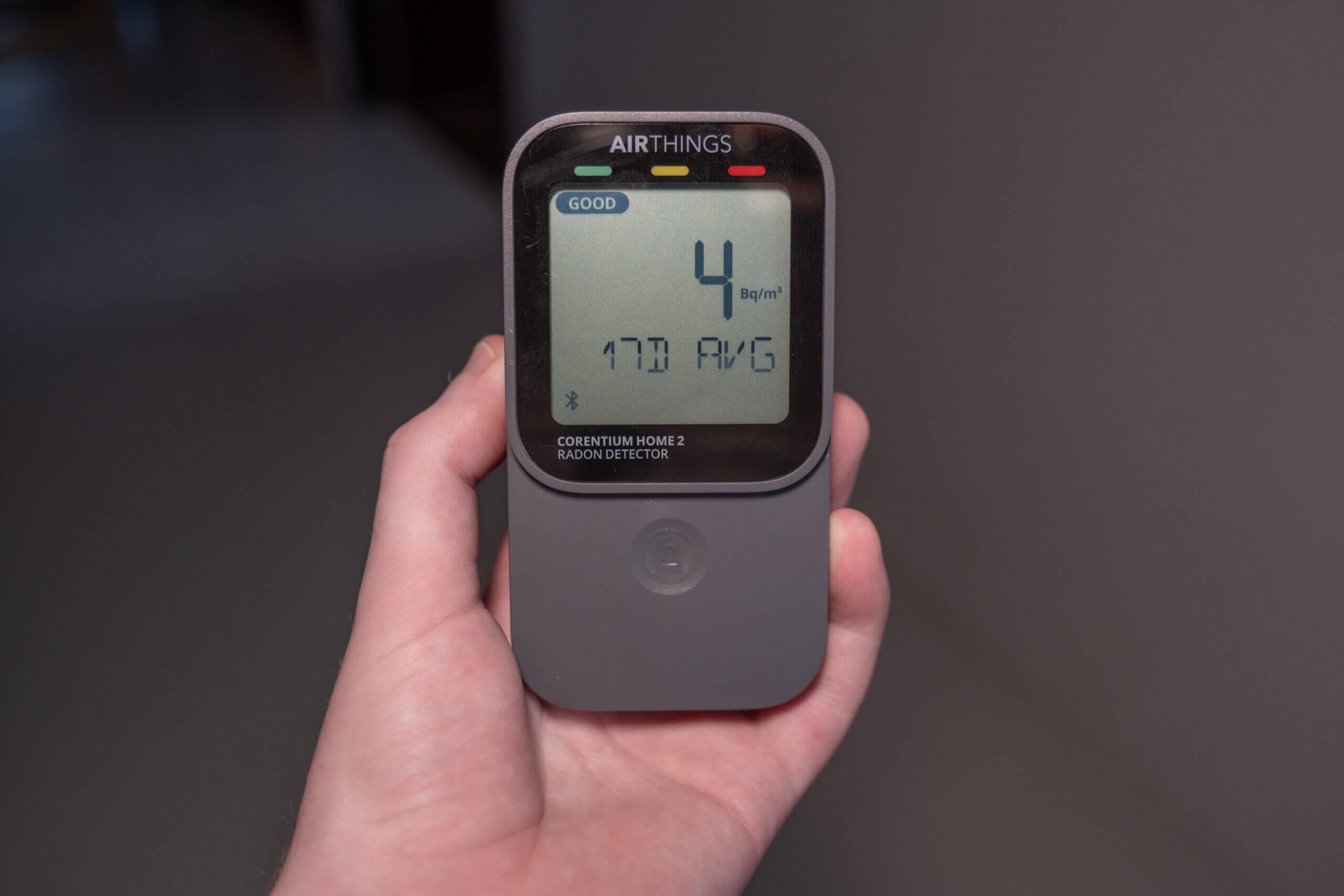
Each device handles this slightly differently. The Corentium Home 2 shows 24-hour, 7-day and 30-day averages, while the Radon Plus adds the current concentration on top of those three and gives a first reading after about an hour. The Radon Plus also remembers whichever view you choose, so you can leave it showing the 30-day average permanently. Personally, I tend to look at the daily or weekly averages in the app, since radon isn’t a big issue where I live and the longer averages smooth out the natural variation.
Design & Display
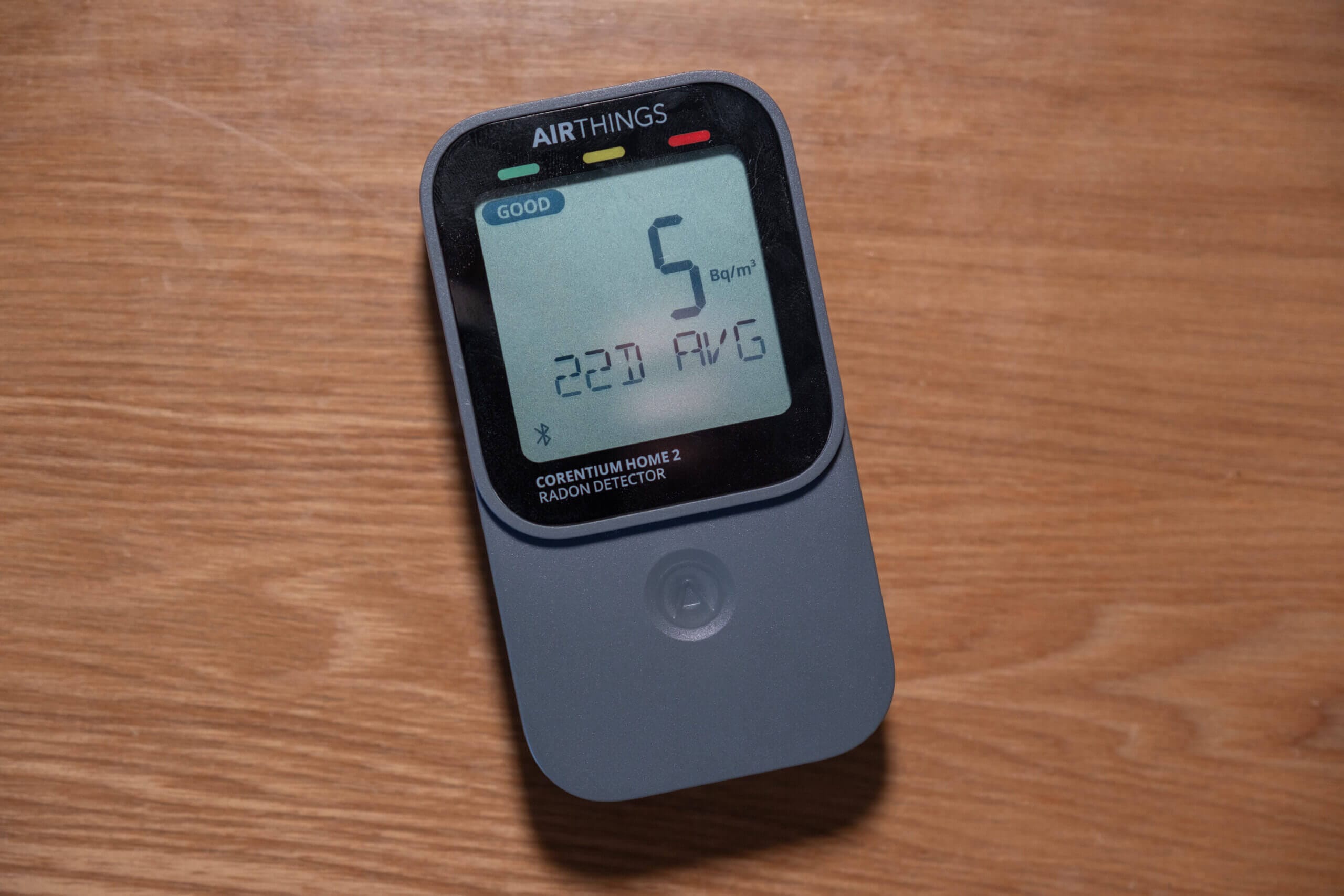

Physically, these two devices take very different shapes. The Corentium Home 2 is a slim, upright slab measuring 61 x 29 x 113 mm and weighing just under 150 g with its batteries, while the Radon Plus is a chunky cube of 71 x 71 x 77 mm. Working those dimensions through, the Corentium takes up about half the space of the Radon Plus (roughly 200 cm³ against 388 cm³), which makes it the easier of the two to tuck onto a crowded shelf.
The Radon Plus keeps the same face as the rest of the Aranet Home family, with an E-ink screen showing radon, temperature, humidity and battery at the same time, plus a traffic light underneath. You switch between views with a small scroll wheel on the side. I’m not normally a fan of scroll wheels, but this one feels solid and responds every time. The battery latch on the bottom feels a little flimsy, though with batteries lasting years, you won’t be opening it often.
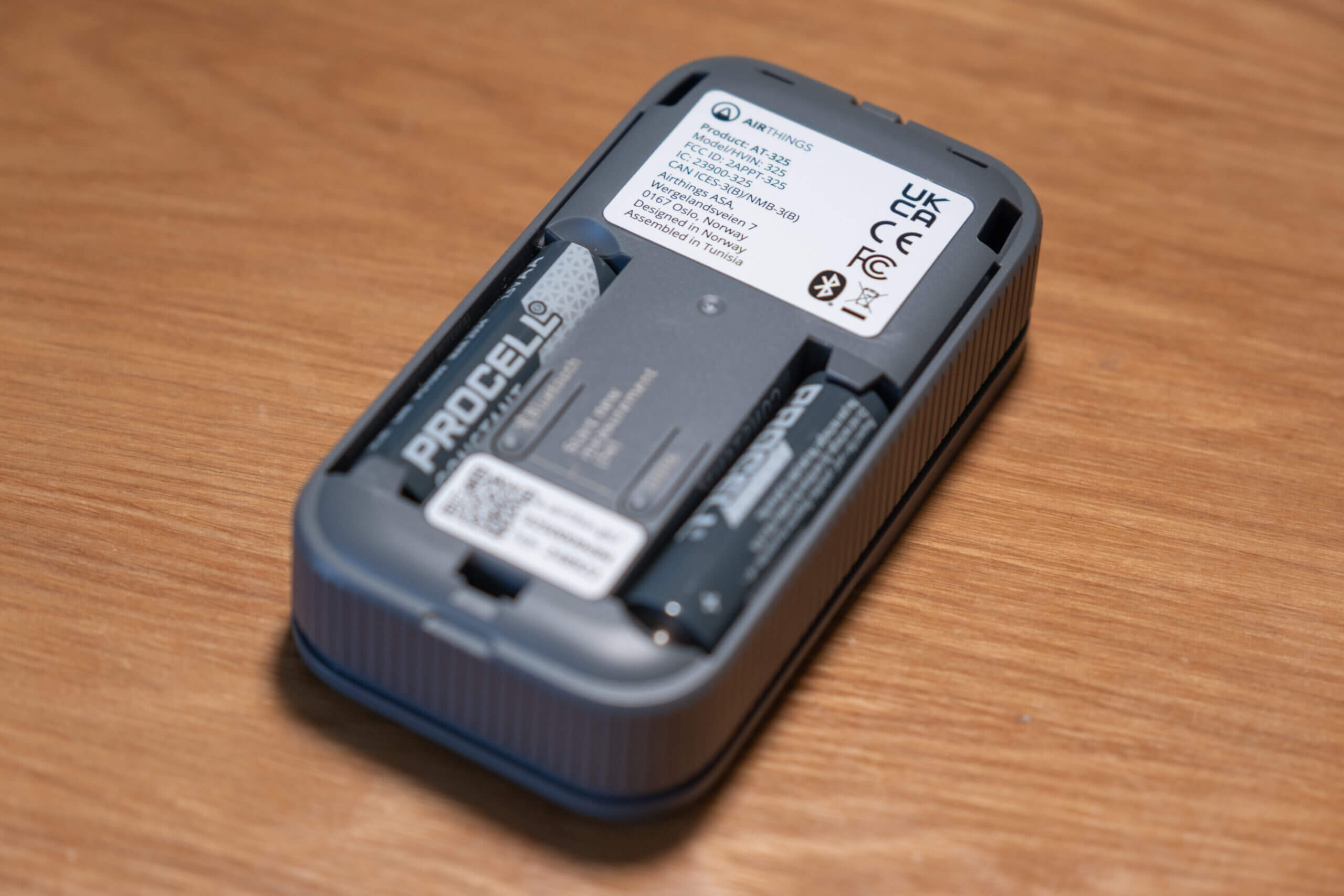
The Corentium Home 2 uses a single touch-sensitive button under the screen to cycle through its five views (the three radon averages, temperature and humidity). Touch buttons often worry me, but this one has been very responsive. Its removable back cover is a nice touch too, hiding physical buttons for Bluetooth, units and a full reset, a small sticker explaining what different radon levels mean, and a hook for hanging the device up.
Both can be used without an app, which isn’t true of every radon monitor I’ve tested. When I first compared the Radon Plus against the EcoQube, RadonEye and original Corentium Home, the Aranet and the Corentium were the only two that showed enough on their screens to work as standalone devices, and the Corentium Home 2 keeps that ability.
App & Smart Home
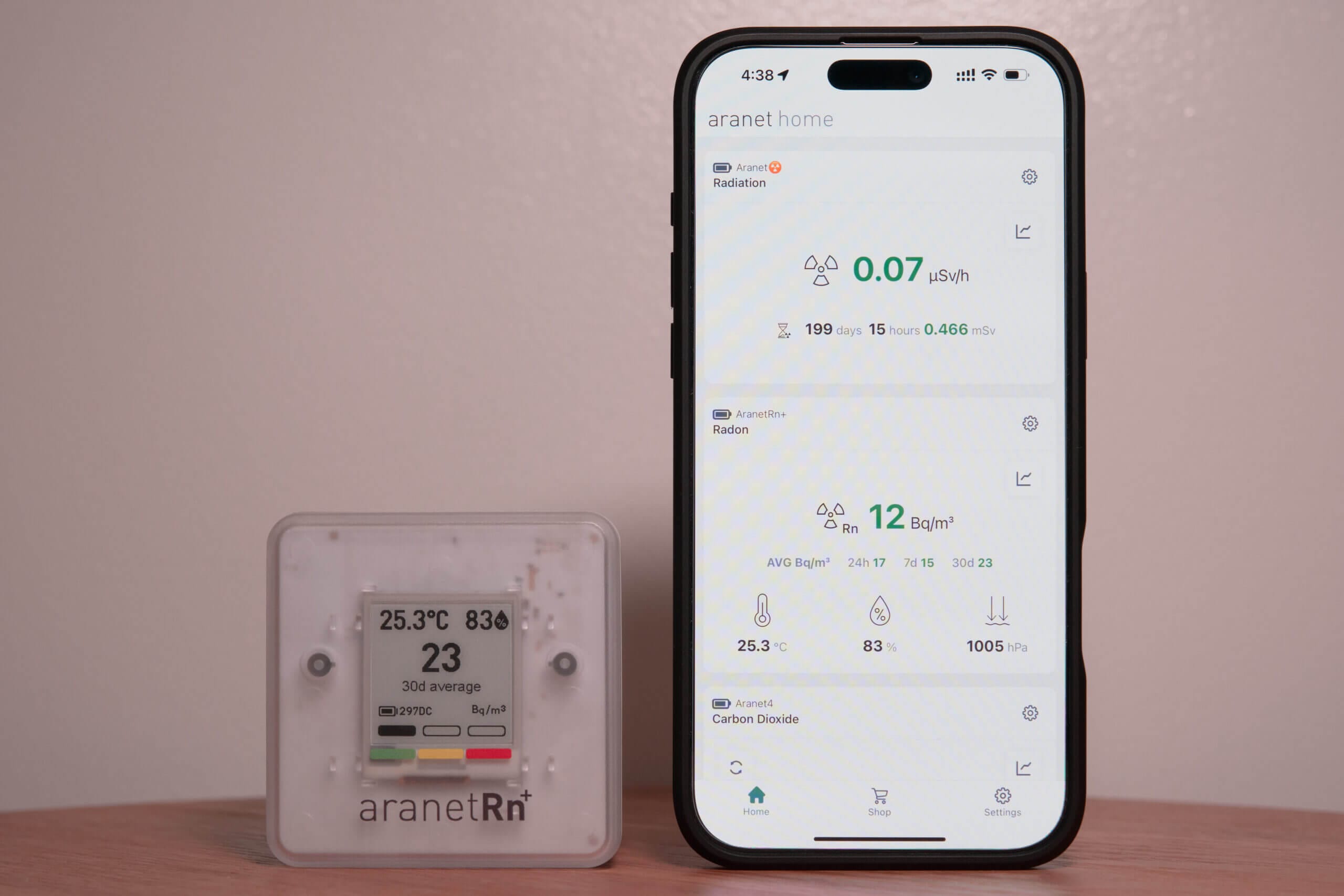
Both monitors connect over Bluetooth only, so you’ll need to be near them to sync, and this is where the biggest differences lie. The Aranet Home app doesn’t need an account, and pairing is as simple as tapping ‘pair new device’. When I upgraded my phone, re-adding all of my Aranet monitors was painless, and the Radon Plus immediately handed over about a month of stored data. Syncing a week of readings usually takes less than 10 seconds, and you can export everything (radon, temperature, humidity and pressure) straight from the app.
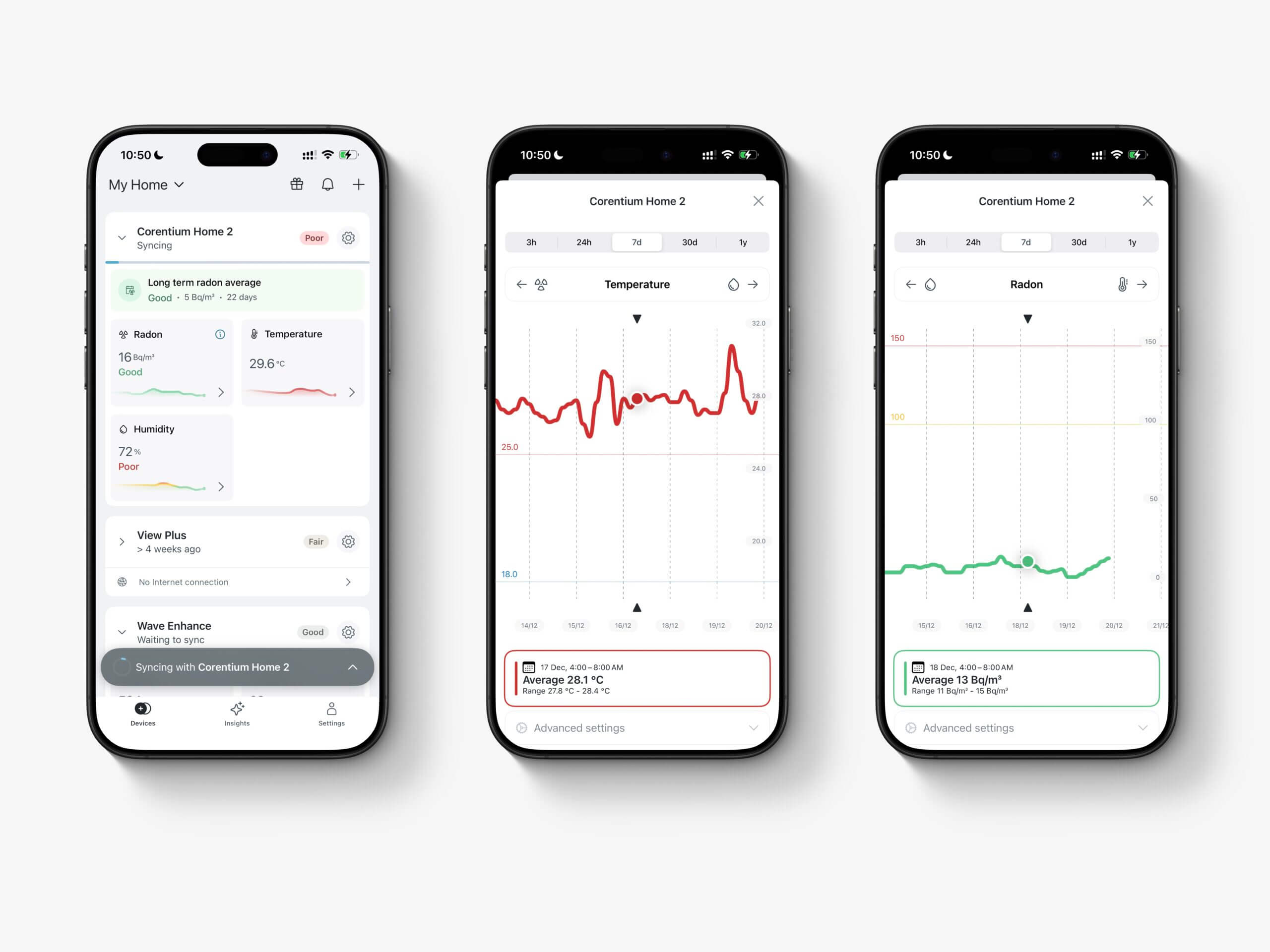
The Airthings app is simpler and very polished, with smooth, responsive graphs covering anything from three hours to a full year. Syncing is slower, and the Bluetooth range is short, so I always had to be in the same room. However, I left the Corentium Home 2 unsynced for three or four days at a time without losing any data. There’s no export inside the app, but you can download CSV files from the Airthings Business dashboard using the same account. If you already own an Airthings View-series monitor or Airthings Hub, the Corentium Home 2 can also sync through it over WiFi, which removes most of the Bluetooth hassle.
Alerts are where the two really part ways. The Radon Plus lets you adjust its alarm threshold, which defaults to 8.1 pCi/L (about 300 Bq/m³). In the US, the EPA recommends fixing your home at 4 pCi/L (148 Bq/m³), which is roughly half of Aranet’s default, so I’d lower it if that’s where you live. The Corentium Home 2 uses preset thresholds that you can’t change at all, which is my main criticism of it.

My Home Assistant dashboard with the Aranet4 Home, Aranet Radiation and Aranet Radon Plus.
Smart home support also favours the Aranet. The Radon Plus works with Home Assistant over Bluetooth, and mine has been reliable as long as it’s within a room or two of my Raspberry Pi. Airthings leans towards simplicity instead, so if automations or dashboards matter to you, the Aranet is the better choice.
Where the Aranet Radon One Fits
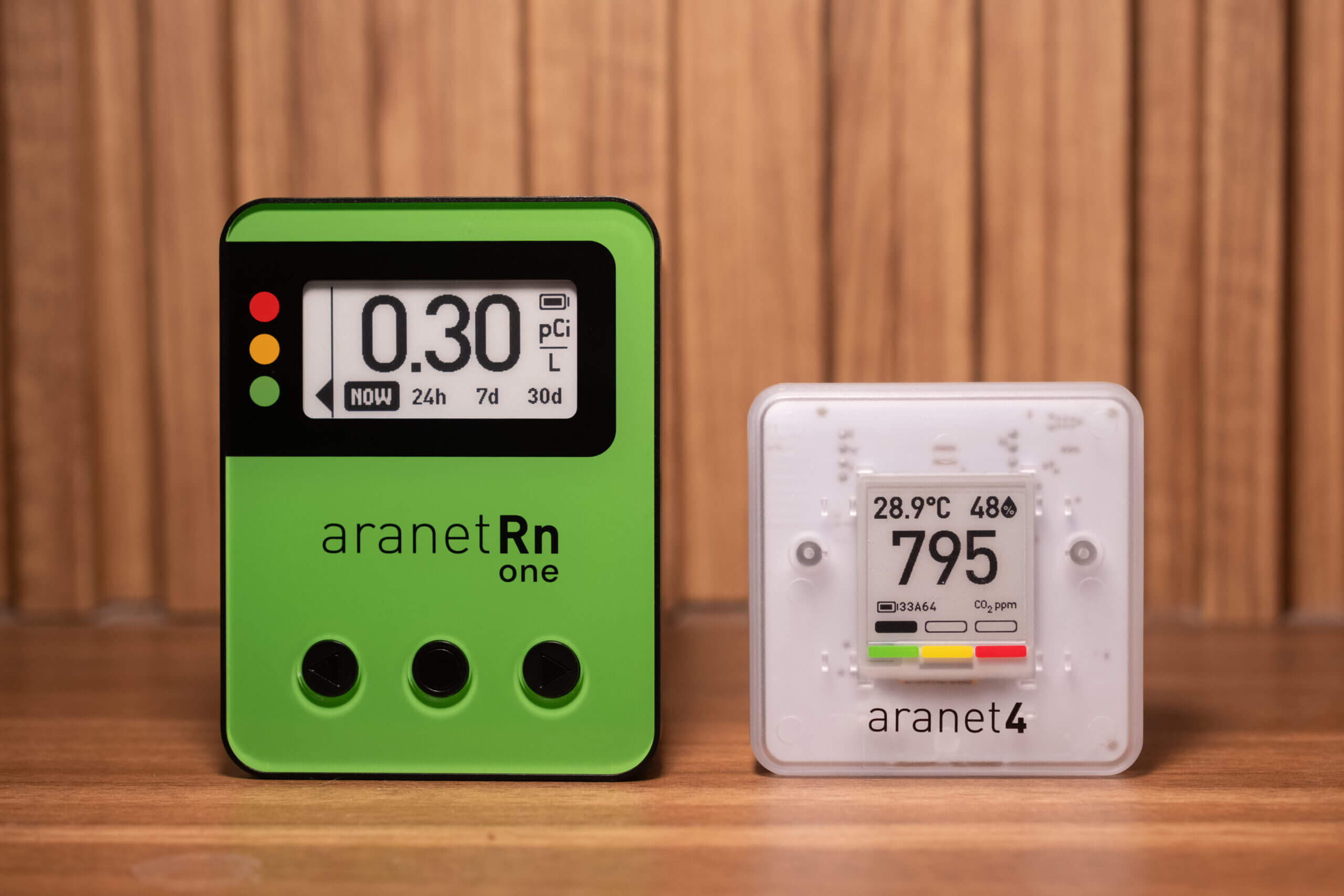
If you like the Aranet approach but want to spend less, the Aranet Radon One is worth a look. It costs around $40-50 less than the Radon Plus and can drop as low as $120 on sale, while keeping the same app, the same Bluetooth connectivity and similar battery life. In exchange, it measures radon only (with no temperature, humidity or pressure), it’s specified at ±10% instead of ±8%, and it’s larger. When I reviewed it in January, it also hadn’t been through independent testing yet, simply because it was so new.
The Radon One is also the first Aranet with three physical buttons, which I prefer over the scroll wheel on the Radon Plus. If you already track temperature and humidity with another device, it’s a very easy recommendation, and my Aranet Radon One review covers the differences in more detail.
Price, Battery & Warranty
At full price, the Radon Plus costs $189 against $179 for the Corentium Home 2. However, with my 5% Aranet discount code (BREATHESAFEARANET), the Radon Plus comes to $179.55, which is effectively the same price. Since the Radon Plus also drops to around $170 on sale, cost really shouldn’t be the deciding factor between these two. Below, I’ve put together a table comparing the main ownership details, with the Radon One included for reference.
| Aranet Radon Plus | Airthings Corentium Home 2 | Aranet Radon One | |
|---|---|---|---|
| Price | $189 (around $170 on sale) | $179 | $40-50 less than the Radon Plus (as low as $120 on sale) |
| Radon accuracy | ±8% (95% of readings) | ±10% after 4-7 days | ±10% |
| Other sensors | Temperature, humidity, pressure | Temperature, humidity | None |
| Battery (2 x AA) | About 3.3 years (Bluetooth on) to 5.1 years (off) | 2-3 years | About 3.4 years (Bluetooth on) to 5 years (off) |
| Size | 71 x 71 x 77 mm | 61 x 29 x 113 mm | Larger than the Radon Plus |
| Connectivity | Bluetooth (Aranet Home app, Home Assistant) | Bluetooth (Airthings app, WiFi through an Airthings hub) | Bluetooth (Aranet Home app) |
| Data export | In the app | Airthings Business dashboard | In the app |
| Adjustable alerts | Yes | No | Same app as the Radon Plus |
Both run on two AA batteries. Airthings quotes two to three years for the Corentium Home 2, while Aranet’s datasheet gives the Radon Plus around 3.3 years on alkaline batteries with Bluetooth on and around 5.1 years with it off. On warranty, Airthings offers one year as standard (two in the EU), extended to five years if you register the device within 30 days of buying it. When I contacted Airthings support without saying who I was, they replied within about three days and fixed one of my issues with the device.
Conclusion – Is the Aranet Radon Plus or Corentium Home 2 Better?

Both are excellent radon monitors, and I’d choose either of them over most alternatives in this price range. Since their accuracy is so similar, the decision comes down to features and how much control you want.
If you want the most capable device, choose the Aranet Radon Plus. It gives you adjustable alarms, temperature, humidity and pressure, in-app data export and Home Assistant support, and the Aranet app remains one of the best I’ve used on any monitor. It’s also the obvious pick if you already own other Aranet devices.
If you prefer something simpler, or you’re already in the Airthings ecosystem, choose the Corentium Home 2. It uses a sensor with years of independent testing behind it, it’s slimmer and easier to place, and it can sync over WiFi through an Airthings hub. Just keep in mind that its alert thresholds can’t be changed.
If you’re on a budget and don’t need the extra sensors, the Aranet Radon One gets you most of the Radon Plus for less, especially on sale.
Whichever one you choose, leave it in the same spot and base any decision on its long-term average rather than the daily number, ideally after at least three months of readings.
Aranet Radon Plus vs Airthings Corentium Home 2 FAQ
Is the Aranet Radon Plus more accurate than the Corentium Home 2?
Not in any way that matters. Aranet specifies ±8% and Airthings ±10% after four to seven days, and both performed well in independent C-NRPP testing.
Which radon monitor is easier to use?
The Corentium Home 2 is slightly simpler, with a single touch button and a cleaner app. The Radon Plus gives you more control, including adjustable alarms and data export directly from the app.
Do either of these radon monitors need WiFi?
No. Both use Bluetooth, so you sync them by opening the app nearby. The Corentium Home 2 can also sync over WiFi if you own an Airthings View-series monitor or Airthings Hub.
Can I change the alert levels?
Only on the Aranet. The Radon Plus alarm defaults to 8.1 pCi/L (about 300 Bq/m³) and can be lowered, while the Corentium Home 2 uses fixed thresholds.
How long should I leave a radon monitor in one place?
At least a week before trusting the 7-day average, and ideally three months before acting on the results, as the C-NRPP recommends.


Comments
No comments yet.