
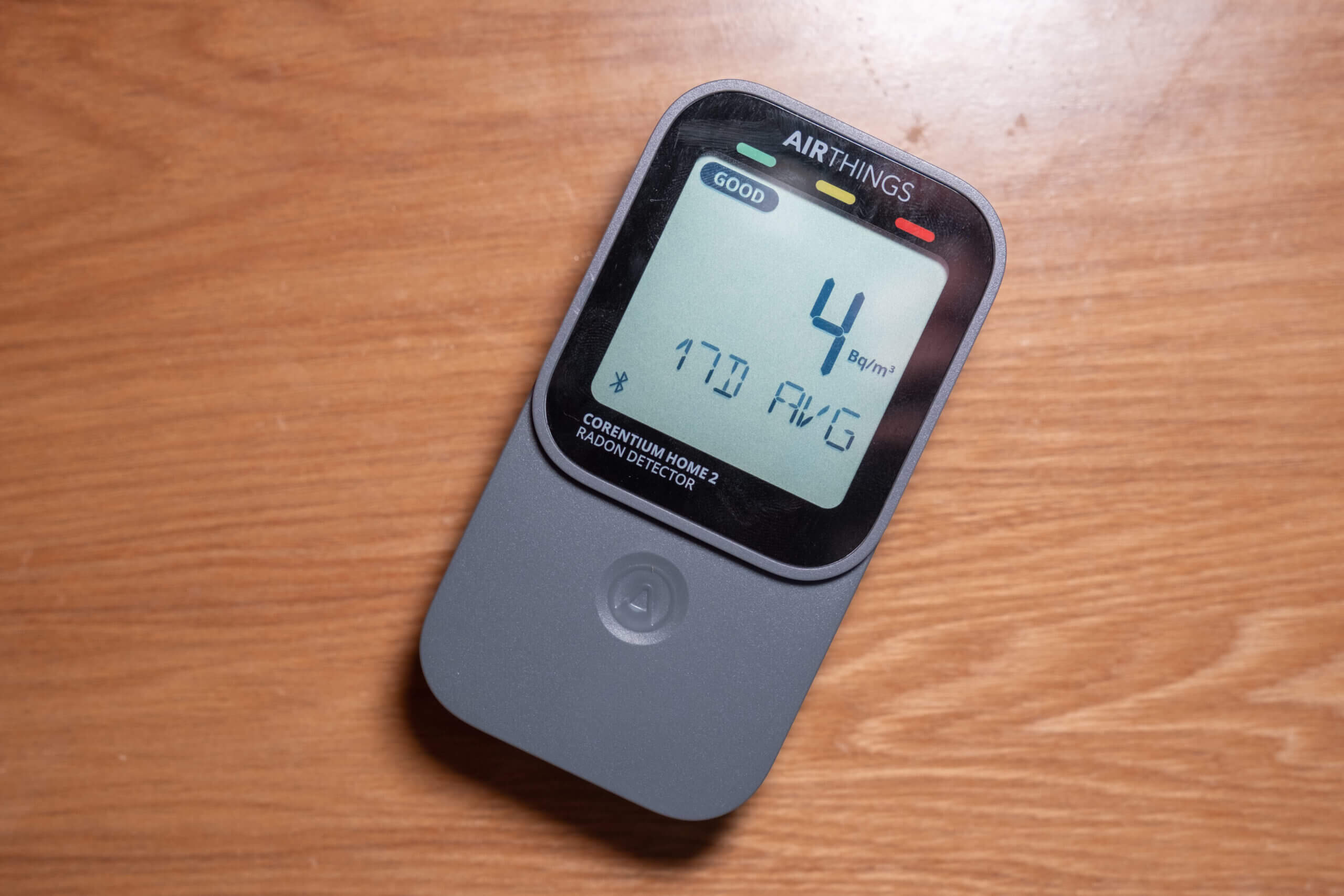
Earlier this year, I reviewed the original Airthings Corentium Home and came away with mixed feelings. While the device has been proven to be accurate, it offers very few features for the price. At the price point, you are already around three-quarters of the way to a similarly accurate but far more feature-rich device, such as the Aranet Radon Plus.
I understand that some people value the simplicity of a device that essentially just shows average radon concentrations over the past day, week, and month and nothing more. But I personally struggled to see what really justified the price beyond Airthings’ relatively well-trusted brand name. It was a device that did its job – and little more than that.
Because of this, when Airthings announced the Corentium Home 2, I was hesitant. Would this simply be a minor iteration on the original? Another device that was so simple it almost worked against itself? Thankfully, that question no longer needs answering. The Corentium Home 2 is here, and I’ve spent the past month using it.
The first thing worth mentioning is that the Corentium Home 2 is a significant departure from the original. While it may look similar on the surface, this device is far more feature-rich and – aside from its core function as a radon monitor – almost entirely different from its predecessor. It does cost slightly more, but I was genuinely excited to try it, as it finally appears to be on par, feature-wise, with other monitors in the same price range.
Before diving into the full review, though, I want to make one important disclaimer. I’m generally based in the Philippines, where radon is not a major concern. In fact, I’ve had the Corentium Home 2 running alongside several other devices for the past month, and they’ve all consistently read below 10 Bq/m³. In other words, I’m not the target market for this device, and I’m very aware of that.
That said, I do have extensive experience with air quality monitors, including radon monitors in particular. This gives me a solid overview of the market and enough context to discuss where I think this device fits in. Still, it’s worth being clear: a device like this isn’t something that’s essential in my day-to-day life.
This post contains affiliate links. For more information, please refer to my affiliate disclaimer. I was sent a product for review, but the article is not sponsored. All opinions expressed in this post are my honest thoughts. I only recommend products that I genuinely believe in.
Informational Purposes: Information on this blog is for informational purposes only. Readers are encouraged to confirm the information herein with other sources. This website assumes no responsibility for the accuracy of the information, and information is subject to change without notice. Products mentioned on this website are not medical devices and do not guarantee protection.
If you notice any errors or inconsistencies in this article, please contact me so I can update the information accordingly.
Accuracy & Sensor
Based on the specifications provided by Airthings (and the quote below), it appears that the Corentium Home 2 uses the same radon sensor as the original Corentium Home. While that might initially sound like a downside – we’re generally conditioned to expect new hardware and improvements with every generation – I actually think this is a positive in this case.
Our patented sensor has proven reliable since 2011 for both homeowners and professionals. With a 5-year warranty and the Airthings app, you get personalized guidance to understand and manage your home’s radon levels effectively.
Airthings designs and manufactures its own radon sensors (as do most manufacturers of popular radon devices), which use a passive diffusion chamber to sample radon, combined with alpha spectrometry to detect and quantify its concentration. If that sounds a bit technical, don’t worry! This is the same fundamental approach used by most radon monitors in this price range.
Although Airthings devices are generally well trusted for radon monitoring, it’s worth noting that they appear to use more than one type of radon sensor across their product lineup. The sensors used in the View range (or at least the View Plus) perform noticeably worse than those found in the Corentium Home and Corentium Home 2. I’m not entirely sure why this is the case (it could be due to space constraints) but in practice, the dedicated radon monitors from Airthings perform significantly better than their multi-pollutant devices.
This is exactly why I’m glad to see the original Corentium Home sensor (seemingly) reused. The longer a sensor has been on the market, and the more widely it’s deployed, the more third-party testing and validation becomes available. While it’s all well and good to take manufacturers at their word, air quality monitoring is inherently health-adjacent, and independent testing is always best.
When it comes to radon, one of the few organizations that regularly publishes consumer monitor testing is the C-NRPP (Canadian National Radon Proficiency Program). They evaluate a range of popular consumer-grade devices by exposing them to known radon concentrations and assessing accuracy. These tests are carried out under varying conditions and include changes in humidity, which can affect sensor performance, to get a clearer picture of how well each device actually performs in the real world. Below are the 2025 results.
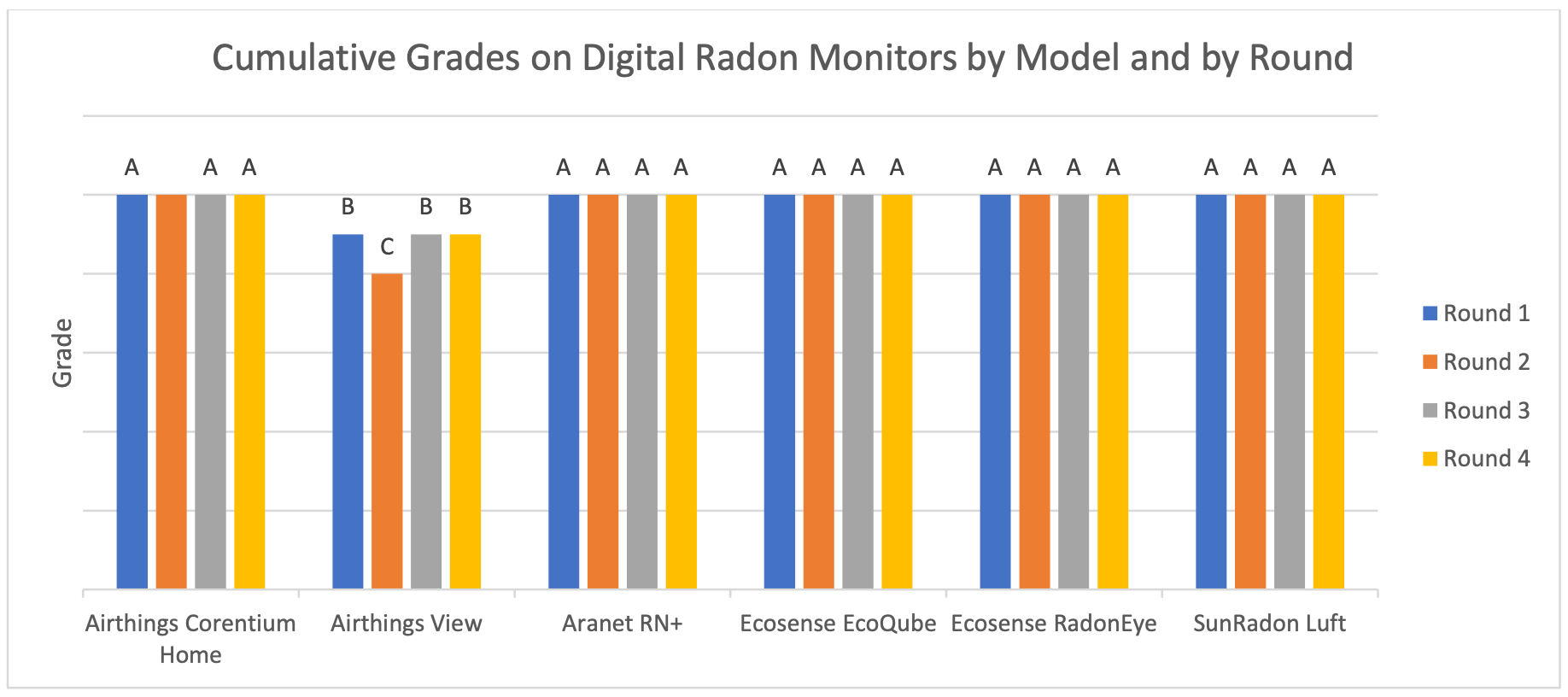
Image from C-NRPP. View the full report here.
In this testing, Rounds 1 and 2 are designed to approximate typical indoor conditions in Canadian homes during winter and summer, respectively. Round 2, in particular, reflects warmer and more humid conditions commonly found in homes with little or no air conditioning. Rounds 3 and 4 shift the focus away from seasonal conditions and instead test performance at higher radon concentrations (around 400 Bq/m³ in Round 3 and 1,000 Bq/m³ in Round 4) while keeping temperature and relative humidity similar to the winter conditions used in Round 1. This combination allows performance to be assessed both under realistic indoor environments (at least for Canada and other North American areas with similar climates) and across a wide range of radon levels.
An A grade in these tests (of which the original Corentium Home got perfect marks) indicate a ≤ 10% measurement error after 7 days. As you can see, the Corentium Home – and, admittedly, many of its popular competitors – achieved this score. These results indicate that the Corentium Home 2 with the same sensor is likely accurate too, and they also highlight the discrepancy between Airthings’ dedicated radon offerings and their multi-pollutant sensors.
While I won’t dive into the full results here, there are also a few other studies that have also looked into the accuracy of the Corentium Home. Both of these studies show the original Corentium Home performing within the standards for consumer-grade reference monitors.
- Corentium Home conforms (< 25% absolute mean difference) over 13 week testing period. Link.
- Corentium Home triple exposure testing (within 0 ± 25% Individual percent error and 0 ± 15% coefficient of variation). Link.
While the Corentium Home 2 is an accurate device, there are a few caveats to keep in mind. Firstly, radon sensors should not be moved frequently as their accuracy improves over time (and they take at least a few days before they begin to provide semi-accurate readings). Secondly, radon sensors can drift and they don’t last forever. Let’s address the first point about moving first.
While the Corentium Home 2 looks like a portable device (and it is), it’s important to note that radon monitors need to remain in a location for a while before they provide useable readings. For the Corentium Home 2, Airthings advertises that useable values can be read after 24 hours, but it’s not until 4 – 7 days (depending on the radon concentration) that the sensor will be accurate to ± 10%. The C-NRPP testing was also carried out using 7-day averages, so I would believe this number to be true. Of course, leaving the device in place for a longer period of time will only improve accuracy.
Secondly, radon sensors – as with many gas sensors – are prone to drift and they will lose accuracy over time. While it’s hard to find an exact lifespan, it’s important to remember that the Corentium Home 2 (and all other radon sensors) will need to be replaced eventually. This likely isn’t something that will happen within a few years, but after five years the device may need to be replaced.
If you’re looking for a TLDR, it’s this: the Corentium Home 2 delivers the level of accuracy we’ve come to expect from Airthings’ dedicated radon monitors. It uses a sensor that’s already been tested and proven, and in practice it performs exactly as I hoped – more than well enough to track radon trends in your home and determine whether further mitigation is needed.

BreatheSafeAir is a one-person publication. Every share and every subscriber is important to me.
I don’t have a marketing budget or a team behind me. Just a lot of test equipment and a genuine interest in helping you make sense of your air quality. If you find this useful, subscribing to my newsletter is the best free way to support the work. You’ll get information on what I’m currently testing, findings that don’t make it into the full reviews, and the kind of detail you only get from someone who thoroughly tests these devices.
Design
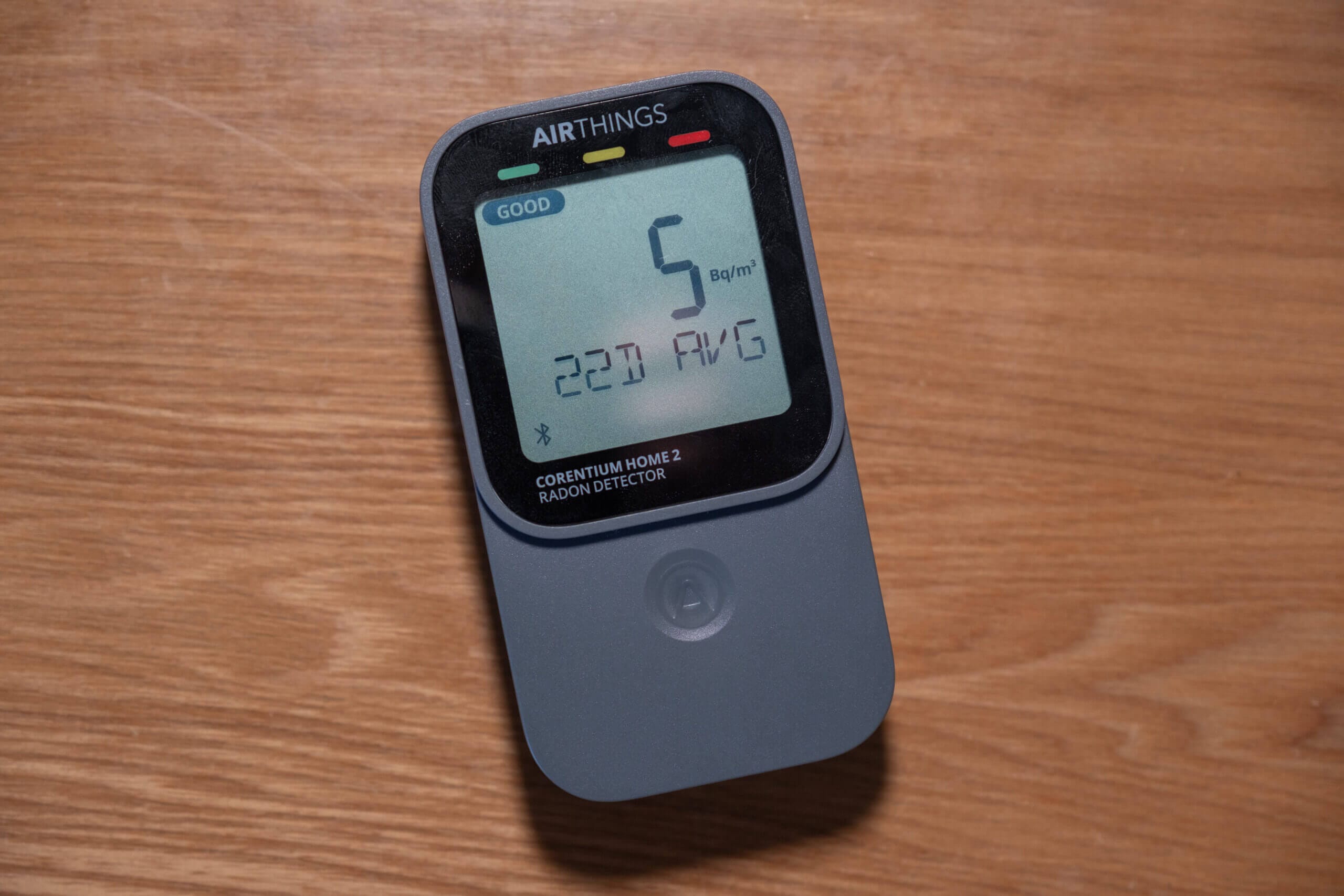
If there’s one word that describes Airthings’ design language, it’s simplicity – and that’s very much reflected in the Corentium Home 2. While the device has a bit more visual presence than the original Corentium Home, it’s still an intentionally minimal design.
The Corentium Home 2 measures 61 × 29 × 113 mm (slightly larger than the Corentium Home) and weighs just under 150 grams with two AA batteries installed. Its compact size makes it extremely easy to move around, almost giving it the feel of a portable monitor. While it can be moved easily, it’s again worth remembering that radon monitors need to remain in a single location for some time before their readings become meaningful and stable.
Now, let’s take a look at the device itself, starting at the back. There’s a removable rear cover (reminiscent of smartphones from a few years ago) which provides access to the battery compartment, some buttons for basic settings, and regulatory information. The Corentium Home 2 runs on two included AA batteries and, according to Airthings, should last around two to three years on a single set.
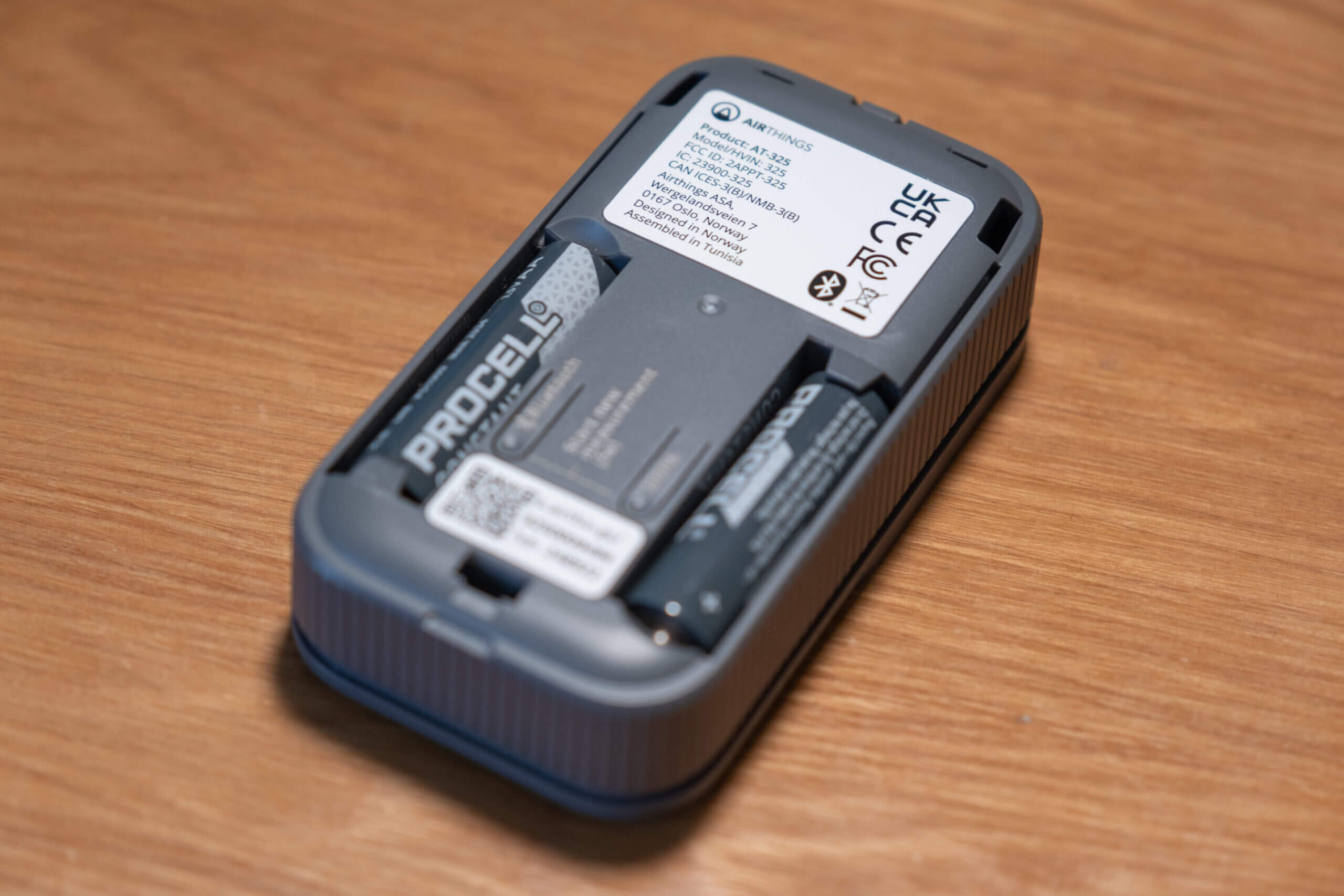
Under this back cover, you’ll also find two physical buttons. These allow you to enable or disable Bluetooth, switch between Bq/m³ and pCi/L, and – by holding both buttons for five seconds – completely reset the device and wipe its stored readings. I really appreciate these physical controls, as they allow you to change units or reset the device without ever needing to connect it to the app. For users who want a standalone monitor, this is exactly how it should be, and the implementation reminds me of the Aranet4 Home.
On the inside of the back plate, there’s also a small sticker explaining typical radon levels and when action might be required. It’s a simple reference, but a useful one, especially for users who may not yet be familiar with radon concentrations or what those numbers actually mean. This is a thoughtful touch from Airthings.
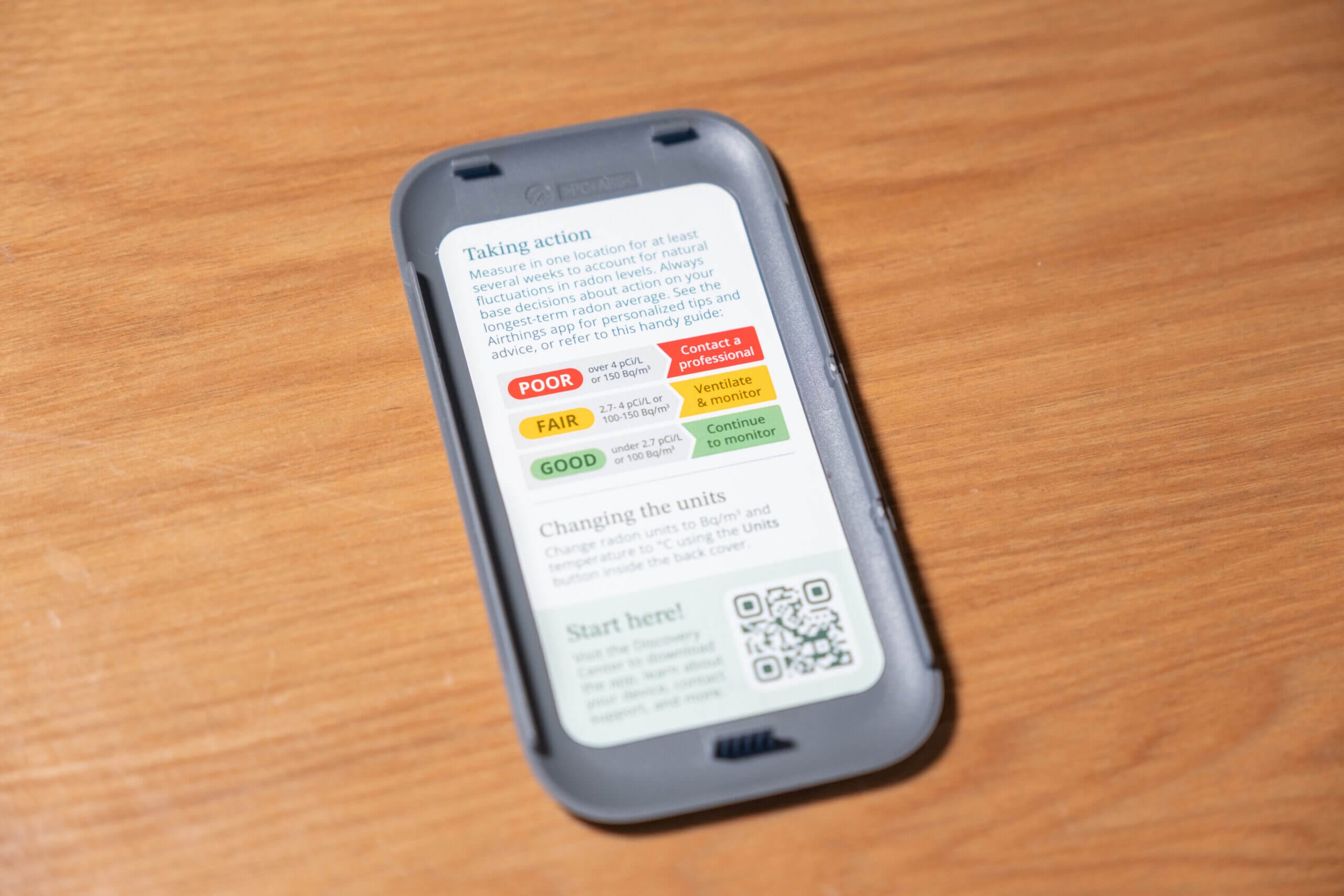
The rest of the device is very understated. The top and bottom are completely bare, and the left and right sides each feature five small slits that act as air inlets, allowing radon to reach the sensor. As you’d expect with this design (and all radon monitors), the device isn’t waterproof.
The front of the Corentium Home 2 is where most of the interaction happens. A large display shows all the key information you’d want from a radon monitor with the exception of historical graphs, which are only available through the app. Using the touch-sensitive button beneath the screen, you can cycle through five displays: 24-hour, 7-day, and 30-day radon averages, as well as temperature and relative humidity. Both radon and humidity readings are paired with a simple status indicator, ranging from green (good) to red (poor), and if Bluetooth is enabled, its status is also shown here.
Touch-sensitive buttons are often something that worry me (as they often don’t work as intended), but in this case, the button is very responsive. A single tap cycles through the available screens, and because it’s flush with the front of the device, it doesn’t disrupt the design. It also means there are no protruding buttons to collect dust or get pressed accidentally.
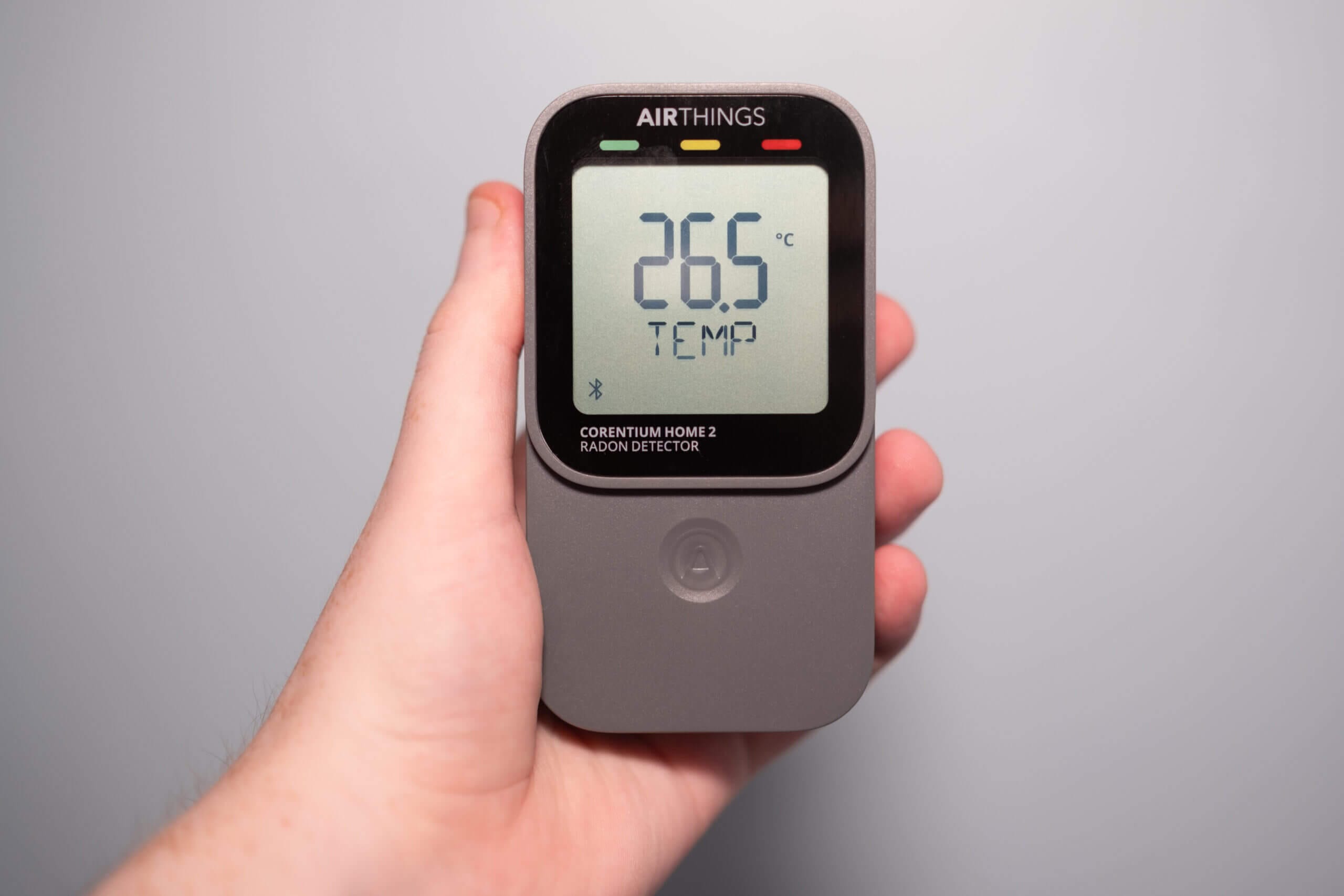
Another small but welcome detail is the hidden hook beneath the back plate. By removing the cover, you can loop a string around this hook and hang the device if needed. It’s a minor feature, but it adds flexibility for placement and makes the device easier to deploy in a wider range of locations.
Overall, the Corentium Home 2 remains a very simple device in terms of design, but it’s clear that this simplicity is intentional. The device presents only the information that’s actually useful. I also appreciate the move to a touch-sensitive button (instead of trying to keep all of the information on a single screen), as this lets me keep the screen focused on the metric I care about most, while still making it easy to check secondary information like temperature or humidity when needed.
Connectivity & Application
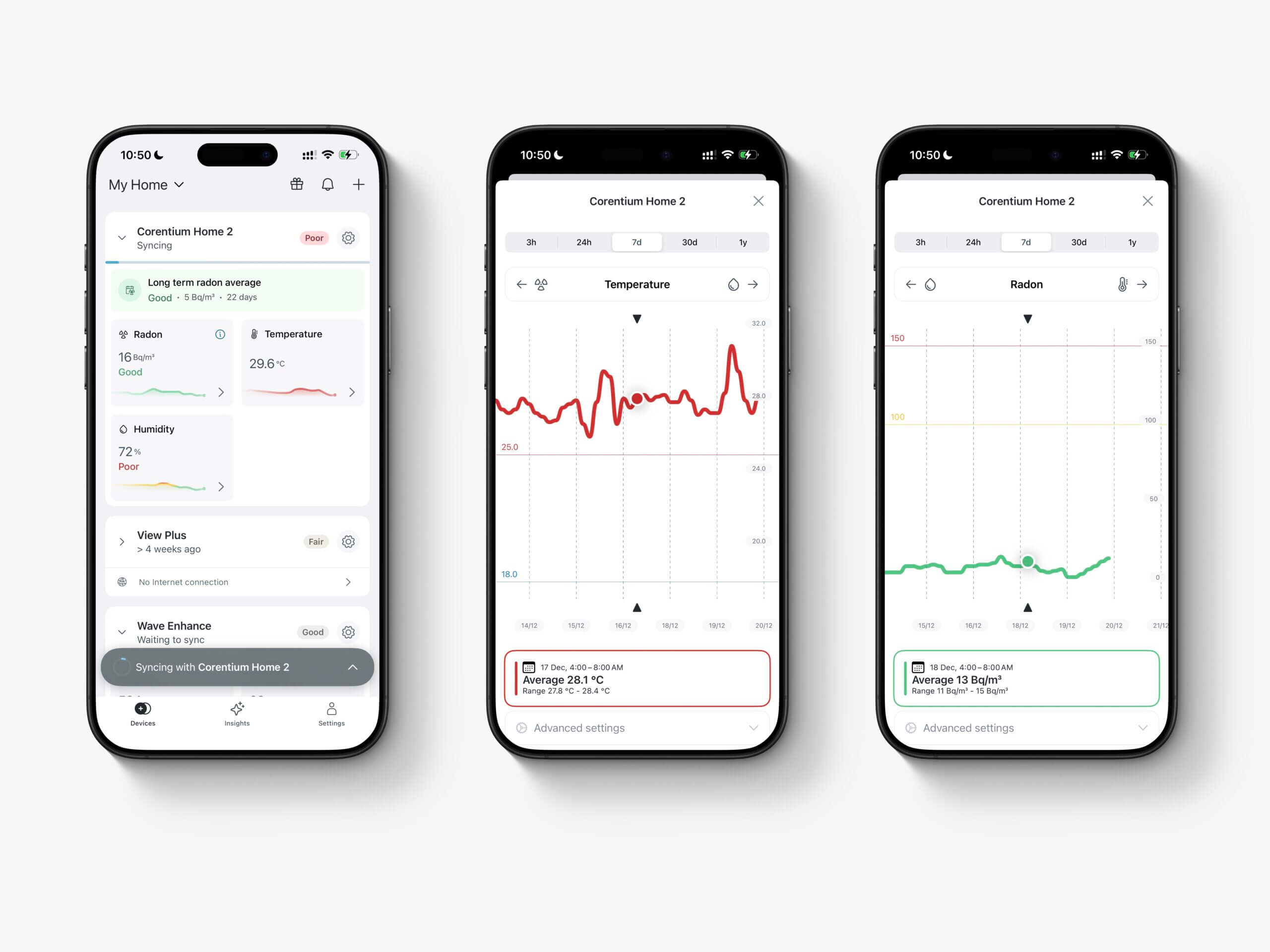
Where the Corentium Home 2 really separates itself from the previous model is connectivity. The original Corentium Home was very much a “dumb” device (and I said as much in my review at the time) with no connectivity whatsoever. The Corentium Home 2, on the other hand, adds Bluetooth, allowing it to connect to your smartphone via the Airthings app.
Before going any further, it’s worth saying that this device can still be used as a standalone monitor. If you liked the original Corentium Home for its simplicity and lack of connectivity, you can use the Home 2 in much the same way. That said, since the original Corentium Home is still available, I’d recommend saving some money and going with that model instead if you’re certain you don’t want any connectivity at all.
If you’re anything like me, though, the added connectivity is a big plus. It gives you access to far more data – and the ability to actually analyse it – than was possible before. Like many other Airthings monitors, the Corentium Home 2 can be added to the Airthings app on iOS or Android, where you can view data and adjust basic settings.
Pairing the Corentium Home 2 with my iPhone was straightforward, and the app picked it up quickly as long as I was in the same room. That last point is important: Bluetooth range with this device is fairly limited, so you’ll want to be physically close to it when connecting. As long as you are, the setup process is painless.
Once connected, the device syncs its data. If it’s a fresh setup, this only takes a few seconds, but syncing can take longer if the monitor has been running for a while without connecting. This highlights my biggest gripe with the Corentium Home 2’s connectivity – and with Airthings’ Bluetooth devices more generally. Because they rely on Bluetooth (and fairly slow Bluetooth at that), connecting and syncing always takes a bit longer than I’d like.
This isn’t unique to Airthings, as I’ve seen the same behaviour with other Bluetooth-based monitors, such as Aranet devices, but it does mean you’ll need to open the app and wait a few seconds before data becomes available. You’ll also need to stay near the device for historical data to transfer. It’s not a dealbreaker by any means, but it’s also why I generally prefer WiFi-connected monitors.
That said, there is a workaround. If you already own an Airthings “hub” device (either a View series monitor or the standalone Airthings Hub) you can connect Bluetooth-only devices like the Corentium Home 2 through that hub and access measurements over WiFi. If you already have a View Plus or View Radon nearby, you effectively unlock this extra functionality as long as the devices are within range of one another.
I’m not entirely sure how much data the Corentium Home 2 stores internally, or how often you need to sync to avoid losing data. So far, I haven’t lost anything, even when leaving the device unsynced for three or four days at a time. Given that the device displays a 30-day average directly on the screen, we can assume a reasonable amount of data is stored locally – it’s just unclear at what resolution.
Radon data on the app is stored and synced on an hourly basis. That’s fine, though it’s worth remembering that radon readings aren’t something you should be checking hour by hour anyway, as these sensors need longer exposure times to give meaningful data. More interestingly, temperature and relative humidity data are synced at five-minute intervals, giving you fairly high-resolution data for both.
The Airthings app itself is simple, but again, this appears to be by design. Once your device is added, the “Devices” screen gives you an at-a-glance overview of current readings. With multiple Airthings monitors, you can see data from all of them here (provided you’re within Bluetooth range or they’re connected via a hub). Each device also shows a small preview graph covering the past 24 hours.
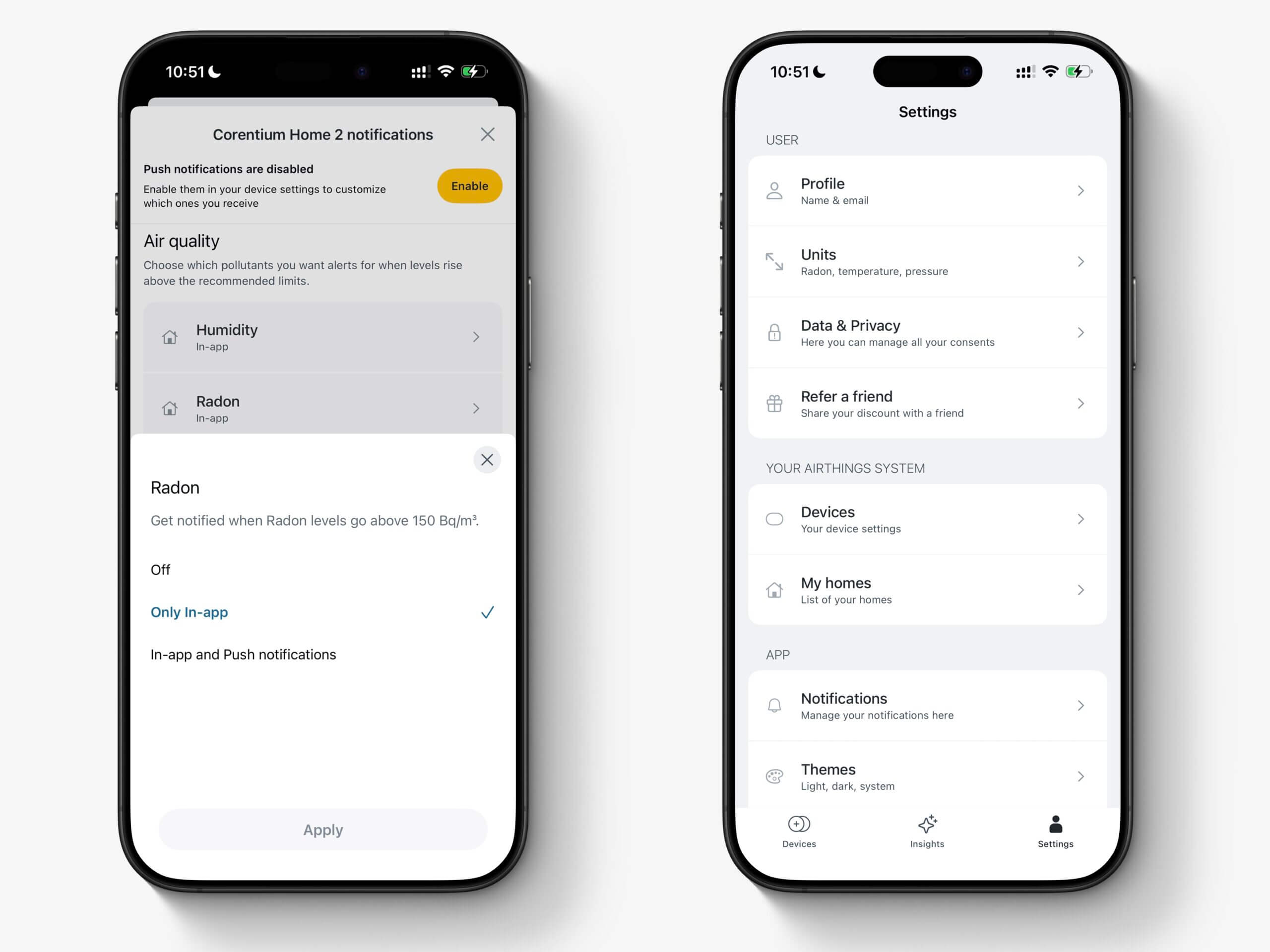
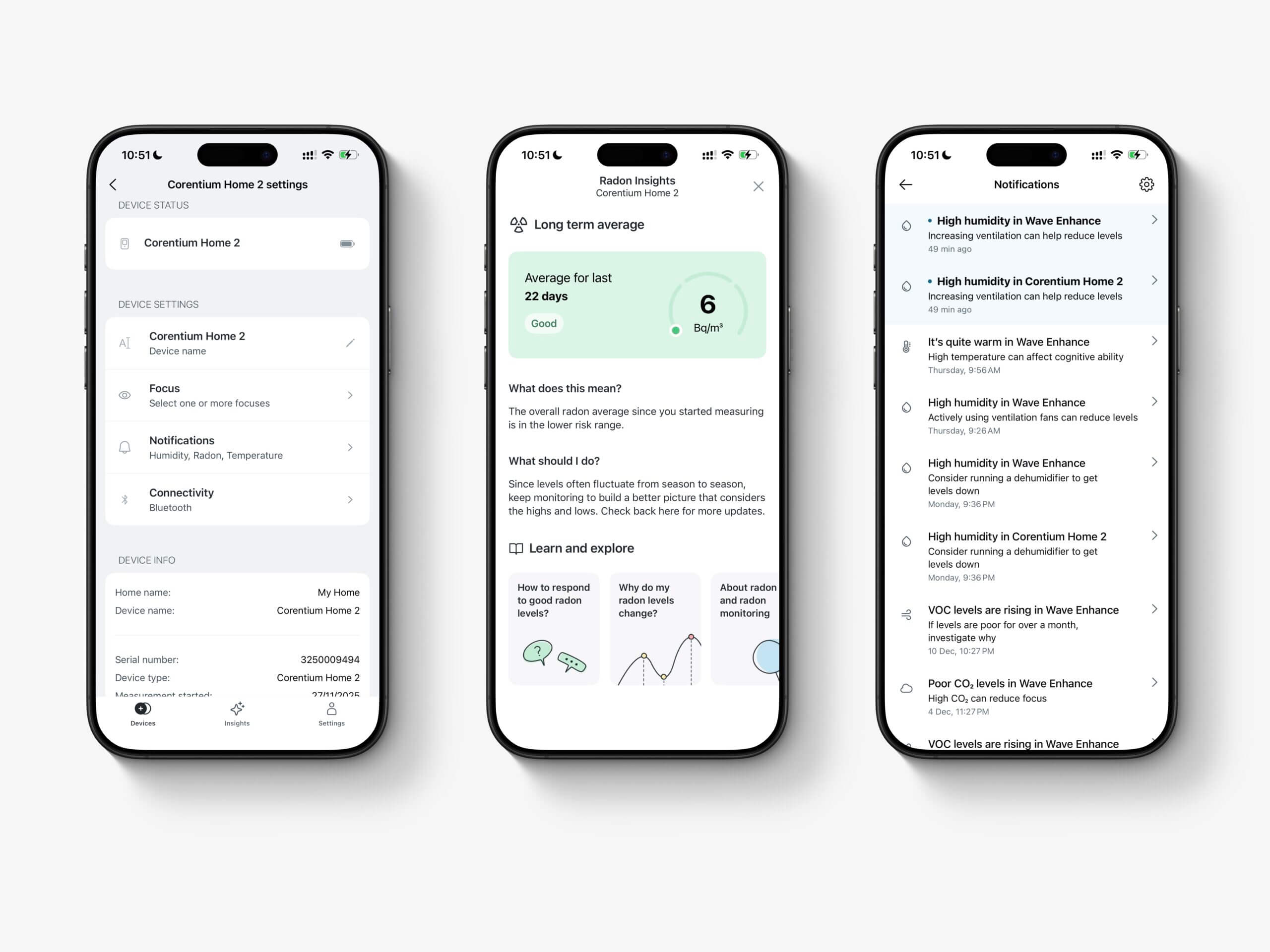
Each device section includes a settings icon that lets you rename the device, apply a “focus” (which is largely irrelevant for the Corentium Home 2), and configure notifications. Notification settings are basic, and you can’t adjust the predefined thresholds, which feels quite limiting. It seems like they had the right concept in mind, but I wish there was more flexibility with the implementation.
From the same menu, you can also manage connectivity, reset the device’s connection, or unpair it entirely. There’s a separate app-wide settings menu where you can also change units and manage multiple homes if you run devices in different locations. Overall, the settings are minimal (sometimes almost too minimal) but easy to navigate.
Tapping on any metric from the Devices screen opens a more detailed, interactive graph. You can view anything from three hours of data up to a full year, and performance here is excellent. The graphs are responsive, smooth, and easy to navigate, which is something not all companion apps get right.
There’s no way to export data directly from the app, but Airthings does offer a web dashboard accessible using the same account. While it sits under “Airthings Business,” you can view data from all your monitors there and export it as CSV files. You can also generate detailed radon reports. This is clearly aimed at building managers and professionals, but it’s still nice to have access to the feature.
Overall, the Airthings app is solid and does what it needs to do. It doesn’t really lack features – especially since exporting is possible via the dashboard – but it does err on the side of simplicity. I appreciate the clean interface and ease of use, even if I wish users had a bit more control, particularly around notifications. Connectivity works well, just keep in mind that you’ll need to be fairly close to the monitor to sync and view data.
Support & Warranty
Airthings offers a fairly strong warranty policy for the Corentium Home 2. Out of the box, the device comes with Airthings’ standard warranty, which covers defects in materials and workmanship for one year (or two years in some regions, such as the EU/EEA). On top of that, Airthings offers an optional extended warranty of up to five years – but only if you register the device within 30 days of purchase.
Registration is voluntary and doesn’t affect your standard warranty rights if you choose not to do it. If you do register in time, the extended coverage automatically kicks in after the standard warranty period ends, bringing total coverage to five years from the original purchase date. This extended warranty applies only to consumer products purchased from Airthings or authorized sellers and only to the original purchaser.
To keep these reviews as fair and consistent as possible, I test support by contacting the company from an anonymous, non-BreatheSafeAir email address and asking a few straightforward questions about the device. This gives a general idea of responsiveness and clarity, but it is only a snapshot.
Support quality can vary based on timing, workload, who answers the ticket, and the nature of your issue. My experience may not reflect yours, so please treat this section as a reference point rather than a guarantee.
If you ever notice something incorrect or outdated in this section, please reach out so I can update it.
To get a sense of Airthings’ customer support in practice, I reached out to them using a non-associated email address with a few questions. In my case, they responded in around three days and provided a helpful answer that resolved one of my issues with the device. Based on broader user feedback (for example, discussions on Reddit – read the edits and the comments), Airthings generally appears to have a good support system. Responses can sometimes take a bit of time, and it may take a follow-up or two to reach the right person, but replacements and refunds do seem to be handled properly when issues arise.
Overall, while I wouldn’t call Airthings’ support exceptional, it’s relatively reliable and in line with what I’d expect from a an air quality monitor company. The option to extend warranty coverage to five years is a big plus, especially for a device that’s intended to sit in one place and run continuously for years – just remember to sign up for the extended warranty before one month is up!
Competitors
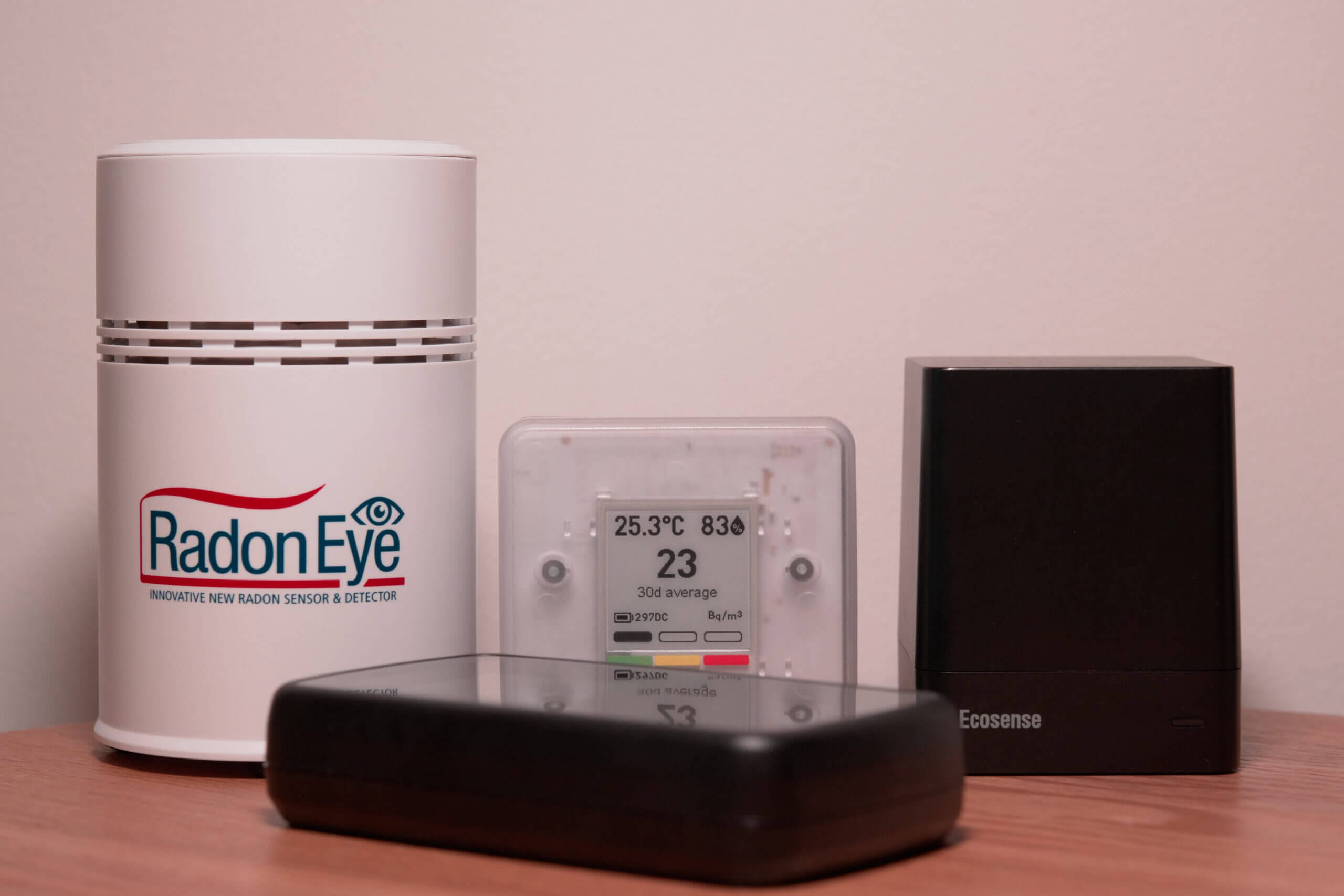
Up to this point, I’ve mostly discussed the Corentium Home 2 in isolation. In reality, though, it sits in a fairly crowded market. There are now several capable consumer-grade radon monitors available, many of them clustered around similar price points. It’s also worth looking at how the Corentium Home 2 fits alongside its predecessor.
Starting there, the original Corentium Home launched at $149 and still appears to be on sale. That suggests Airthings doesn’t see the Corentium Home 2 as a direct replacement, but rather as a device that can exist alongside the original. Given how different the two devices are in practice, that approach actually makes sense.
In my original review of the Corentium Home, I argued that it was overpriced for what it offered. For only $20-$50 more, you could get a device with connectivity, access to historical data, and the ability to export that data – all things the original Corentium Home lacked. I still stand by that assessment, and unless you specifically want a very simple, non-connected monitor, I think spending a little more is still the better option.
| Monitor | Price |
|---|---|
| Airthings Corentium Home 2 | $179 |
| Airthings Corentium Home | $149 |
| Aranet Radon Plus | $189 |
| RadonEye | $174 |
| EcoQube | $156 |
| EcoBlu | $129 |
| Luft | $249 |
That’s where the Corentium Home 2 changes things. At $179, it now competes directly with those more feature-rich monitors. With Bluetooth connectivity, app support, and access to historical data, it finally offers a feature set that feels appropriate for its price. Personally, I think this makes it a much more compelling purchase than the original model ever was.
It’s also worth noting that nearly all of the monitors in the comparison table above have performed well in C-NRPP testing, with similar accuracy. Because of that, this comparison isn’t really about which device is “most accurate,” but rather which set of features best matches what you want from a radon monitor.
The most direct competitor here is the Aranet Radon Plus, which is why I’ve referenced it repeatedly throughout this review. Like the Corentium Home 2, it’s a Bluetooth-based device with a strong app experience and a wider ecosystem of compatible sensors. At only around $10 more, it’s an obvious alternative, and one many people will be choosing between.
This comparison will let you easily compare the Corentium Home, Corentium Home 2 and Aranet Radon Plus.
Ultimately, the decision comes down to priorities. If you want a slightly more powerful device with deeper customization – things like adjustable notification thresholds or smart home integrations – the Aranet still has the edge in my view. If, on the other hand, you prefer a simpler, more polished, and more user-friendly experience, Airthings does a very good job here.
Conclusion
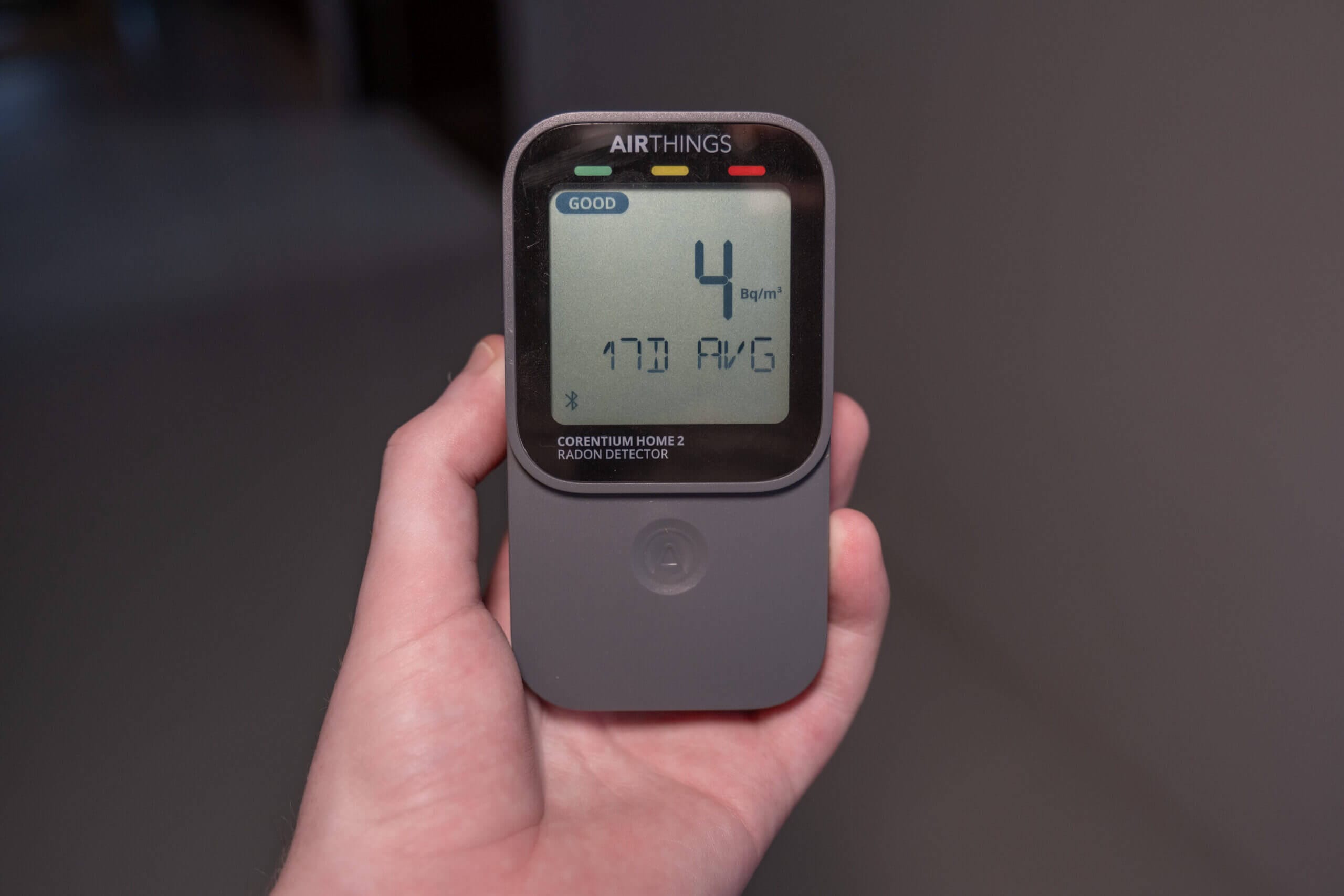
When I first heard that the Corentium Home 2 had been announced, I wasn’t entirely sure what to expect. Airthings’ devices are usually well connected, but the original Corentium Home was a clear exception, so I was curious whether Airthings would stick with that approach or finally add connectivity. I’m glad they chose the latter and went with Bluetooth.
For a $30 price increase, the Corentium Home 2 is a far more compelling device. It keeps the strengths of the original – most notably its tried-and-tested radon sensor – while adding enough new functionality to make it feel like a significant upgrade rather than a minor refresh. If you’re already part of the Airthings ecosystem, especially if you’re using one of their hub-capable devices (like the View Radon or View Plus), this is an easy recommendation.
Even if you’re not already using Airthings products, the Corentium Home 2 is now a solid alternative to what I’ve been recommending up to this point: the Aranet Radon Plus. The two devices differ in a few meaningful ways, and each has its own pros and cons, but they’re both strong options in this price range.
My main criticism of the Corentium Home 2 is the same one I’ve had with most Airthings products: it still feels a little too simple at times. I understand the decision to use preset notification thresholds (to take one example) for the sake of accessibility, but I would really like the option to adjust them manually. Even allowing custom thresholds for temperature and relative humidity (if not radon itself) would go a long way.
That said, I also appreciate how difficult it is to strike the right balance between accessibility and depth. It’s good to have an option on the market that doesn’t feel overwhelming, yet still offers enough capability for the vast majority of users.
If you have any questions after reading this review, feel free to leave a comment. I do my best to reply whenever possible! I’d also be interested to hear your experiences if you’ve used this device, or even the original Corentium Home. Thanks for reading. If you like my reviews, please consider supporting me on Ko-Fi.
- Proven radon sensor
- Bluetooth + app support
- Works well standalone (no app)
- Clear 24h / 7d / 30d averages
- Temp + humidity included
- Long battery life (2–3 years)
- Compact, easy placement
- Optional 5-year coverage
- Limited customization
- No custom alert thresholds
- Short Bluetooth range
- Sync can feel slow
- No in-app data export
- Original model is cheaper (if you want a simple device with no connectivity)
Corentium Home 2 FAQ
Do I need to use the Airthings app to use the Corentium Home 2?
No. The Corentium Home 2 can be used as a standalone radon monitor without ever connecting it to the app. You can view 24-hour, 7-day, and 30-day radon averages, as well as temperature and humidity, directly on the device. The app is only needed if you want access to historical data, graphs, or export data.
How long does the Corentium Home 2 need to stay in one place to give accurate readings?
Like all radon monitors, the Corentium Home 2 needs time in a fixed location to provide meaningful results. Short-term readings can fluctuate significantly, so it’s best to leave the device in one place for at least several days (ideally weeks) before drawing conclusions.
Is the Corentium Home 2 accurate enough for real decision-making?
Yes. The sensor used in the Corentium Home line has been tested by third parties such as the C-NRPP and has consistently performed well. While no consumer device replaces professional testing in all situations, it’s more than accurate enough for tracking trends and deciding whether mitigation may be necessary.
How does the Corentium Home 2 compare to the original Corentium Home?
The biggest difference is connectivity. The original Corentium Home has no wireless connectivity at all, while the Home 2 adds Bluetooth and app support. The Home 2 also feels like a more complete product overall, though both use a similar, proven radon sensor.
How does it compare to the Aranet Radon Plus?
Both devices are accurate and well-built, and both rely on Bluetooth rather than WiFi. The Aranet offers more customization and integrations, while the Corentium Home 2 focuses on a simpler, more user-friendly experience. Which one is better largely depends on how much control and customization you want.
How often do I need to sync the device with my phone?
There’s no strict requirement, but you’ll want to sync periodically to avoid gaps in historical data. In my testing, leaving the device unsynced for several days didn’t result in data loss, but syncing every few days is a safe approach if you care about detailed history.
Is the Corentium Home 2 worth buying if I already own an Airthings device?
If you already use Airthings monitors, such as a View-series device or an Airthings Hub, the Corentium Home 2 fits in nicely and can benefit from WiFi syncing via those hubs. If you’re starting from scratch, it’s still a solid option, but it’s worth comparing it directly with alternatives at a similar price point.


