

The Airthings Corentium Home was the first radon monitor I reviewed, and I came away from it with mixed feelings. It was simple, it was proven to be accurate, and it did exactly one job. A year later, Airthings released the Corentium Home 2, which looks similar from the front but is a very different device once you start using it. If you’re weighing up Corentium Home vs Corentium Home 2, the short version is that the radon sensor barely changed and almost everything around it did.
For a first radon monitor, the Corentium Home 2 is worth the extra $30 for its app, data export and temperature and humidity readings. If your original Corentium Home still works, there's no accuracy reason to replace it, because the radon sensor inside is essentially the same.
I bought my original Corentium Home myself and ran it for about a month alongside the RadonEye, EcoQube and Aranet Radon Plus. The Corentium Home 2 was sent to me for review, and it also spent a month running next to several other monitors. You can find my full Corentium Home review and Corentium Home 2 review here, along with my guide to the best radon monitors.
In this comparison, I will look at the sensor and accuracy, the design and display, connectivity, and price, before answering two separate questions. Which one should you buy if you don’t own either, and is it worth upgrading if you already have the original?

I independently review air quality monitors with a focus on accuracy. I’ve tested well over 50 devices, compared some of them against reference instruments, and rely on peer-reviewed research and third-party studies wherever possible.
I don’t accept sponsored posts or paid reviews, and I don’t run ads on BreatheSafeAir. When I receive a free product, the company has no say in what I write. Affiliate links don’t influence my views and never increase the price you pay.
I’m constantly learning about how these sensors work – from opening them up, discussing with researchers in the field and examining the hardware inside. That ongoing learning process helps me write reviews that are grounded in how the technology actually behaves, not just what the spec sheet says.
You can read my full Disclaimers & Ethics page for complete details. And as with any review, even mine, I always encourage checking multiple independent sources before making a decision.
This post contains affiliate links. For more information, please refer to my affiliate disclaimer.
Informational Disclaimer: Information on this blog is for informational purposes only. Readers are encouraged to confirm the information herein with other sources. This website assumes no responsibility for the accuracy of the information, which is subject to change without notice.
If you notice any errors or inconsistencies in this article, please contact me so I can update the information accordingly.
Contents
Sensor & Accuracy
Based on Airthings’ own specifications, the Corentium Home 2 appears to use the same radon sensor as the original. Both rely on a passive diffusion chamber combined with alpha spectrometry, which measures the alpha particles given off as radon decays. I see the reuse as a good thing, because the original sensor has been tested by third parties for years, and that testing is the main reason I trust it.
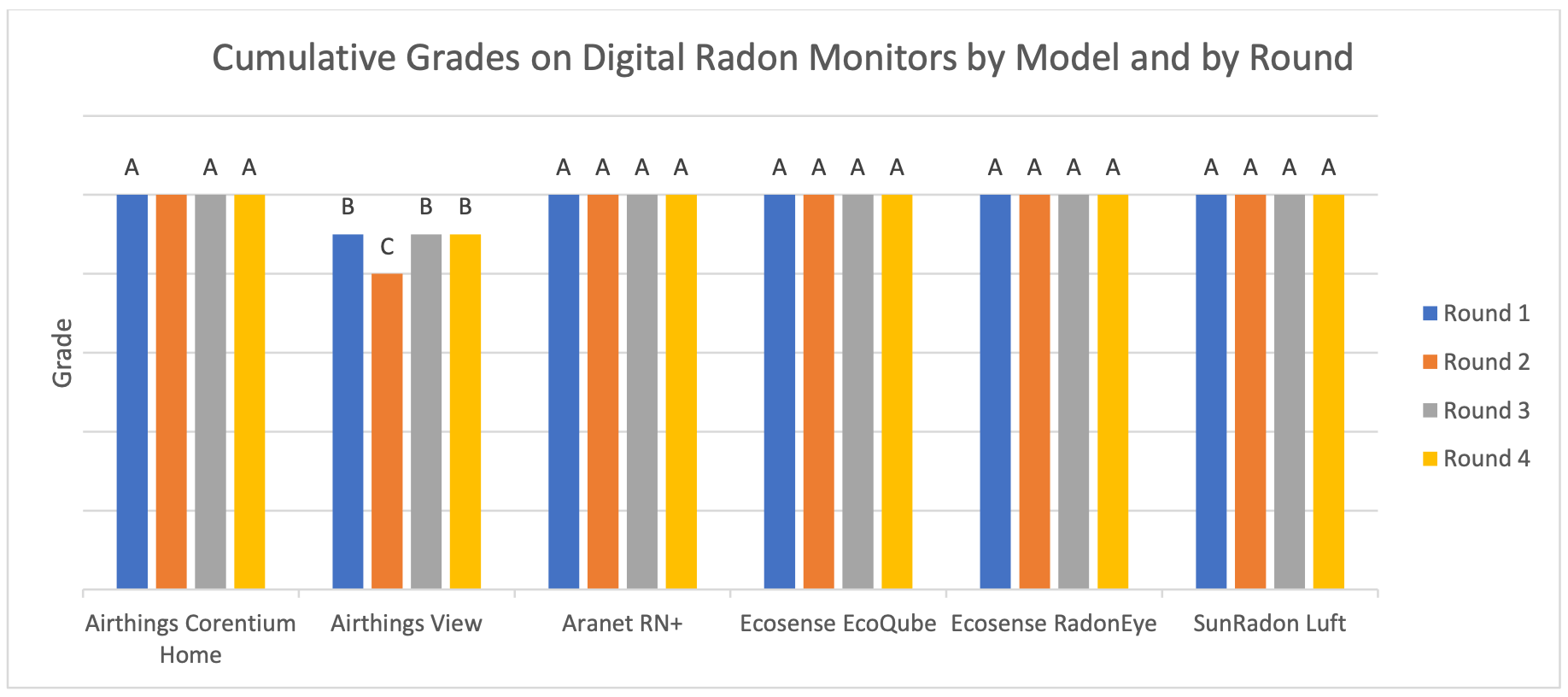
The most useful independent testing comes from C-NRPP (the Canadian National Radon Proficiency Program), which exposes monitors to known radon concentrations under different conditions. An A grade means the reading was within 10% of the true value, and a B grade means it was within 20%. In the 2023 round, the original Corentium Home earned a mix of As and Bs, while another study graded it A, B, A and A. In the 2025 round (the chart above), it earned an A in every test. A small difference from the reference like this is expected, and it doesn’t mean either monitor is getting radon wrong.
The Corentium Home 2 hasn’t been through the same testing yet, but with the same sensor inside, I would expect very similar results. That’s also the most important point for anyone thinking about upgrading. The Home 2 isn’t any more accurate than the original, so accuracy alone is never a reason to replace a working Corentium Home.
Both monitors also need time before their readings mean much. Radon levels move around from hour to hour and day to day, so a short-term average (the last day or week) mostly shows you noise, while a long-term average (a month or more) shows your actual exposure. Airthings says the Home 2 gives usable readings after 24 hours and reaches ±10% after 4-7 days, but it recommends at least 30 days before drawing conclusions, and C-NRPP recommends at least 90.

Radon sensors also drift over time, and this applies to both devices. In C-NRPP’s three-year follow-up, the original Corentium Home lost a little accuracy after three years at low radon levels, but became very inaccurate after three years of higher exposure (at least at higher humidities). Based on that, I estimated the original would stay accurate enough for around four to five years in most homes, and as little as two or three years in a high-radon home.
My own readings can’t add much here, and it’s worth being upfront about why. I’m based in the Philippines, where radon isn’t a major concern, and every monitor I ran alongside the Corentium Home 2 consistently read below 10 Bq/m³. For accuracy, the third-party testing above is a far better guide than anything I can measure at home.
BreatheSafeAir is a one-person publication. Every share and every subscriber is important to me.
I don’t have a marketing budget or a team behind me. Just a lot of test equipment and a genuine interest in helping you make sense of your air quality. If you find this useful, subscribing to my newsletter is the best free way to support the work. You’ll get information on what I’m currently testing, findings that don’t make it into the full reviews, and the kind of detail you only get from someone who thoroughly tests these devices.
Design & Display

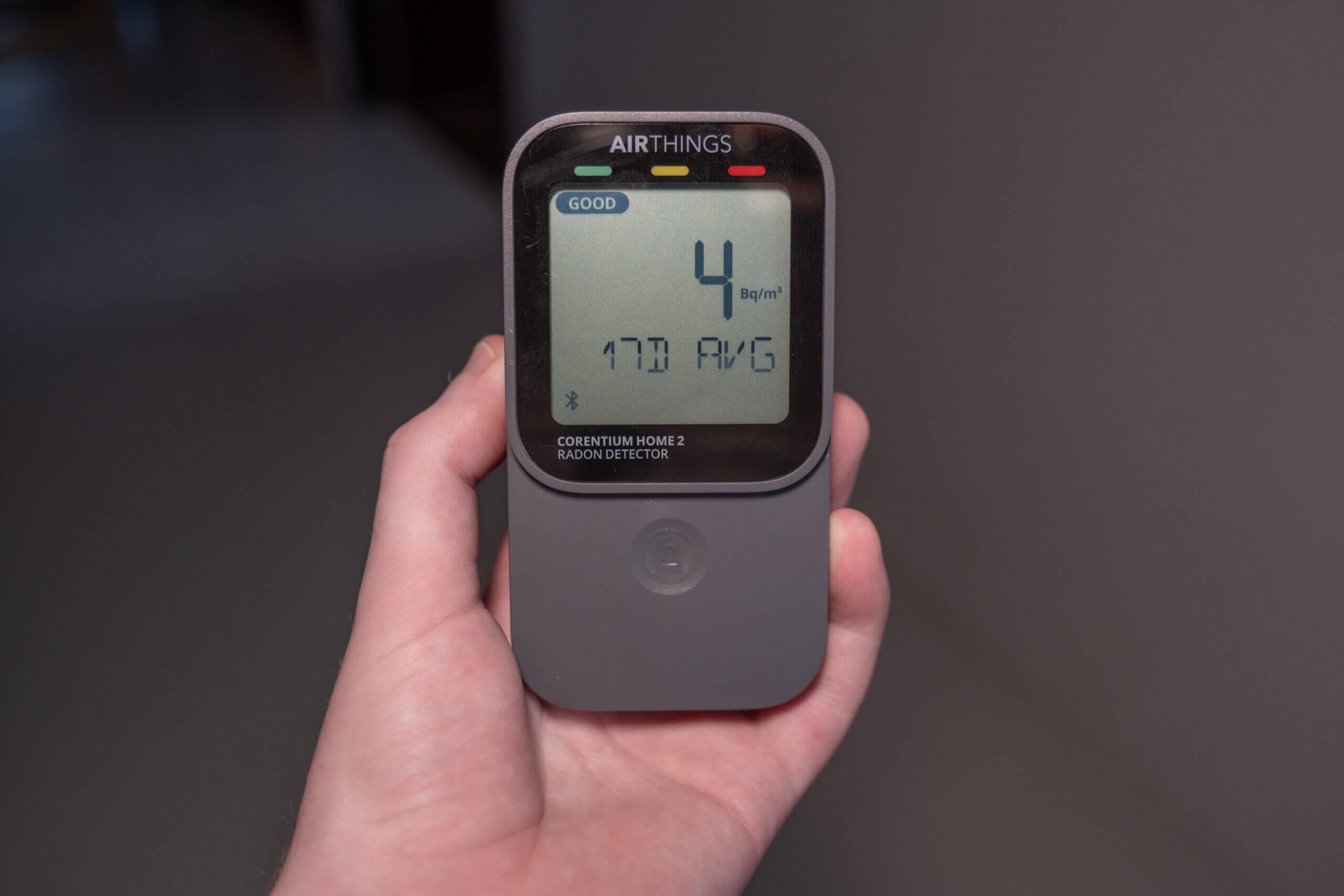
Both devices are small, battery-powered monitors that you can place almost anywhere, and neither needs a power socket. The original is about the size of an old iPhone 4, while the Corentium Home 2 measures 61 x 29 x 113 mm and weighs just under 150 grams with its batteries. For power, the original runs on three AAA batteries for around two years, while the Home 2 uses two AA batteries and Airthings claims two to three years.
Where the two differ more is the display. On the original, you get a large long-term average at the top of the screen, with a smaller short-term figure underneath that switches between the 1-day and 7-day averages every five seconds. The Home 2 uses a touch-sensitive button to cycle through 24-hour, 7-day and 30-day radon averages, plus temperature and relative humidity, each with a simple green-to-red status indicator. I usually worry about touch buttons, but this one was very responsive.
The biggest day-to-day difference for me was units. My original Corentium Home is a US model, so it only shows pCi/L (picocuries per litre, the unit used in the US), and there is no way to switch it to the Bq/m³ I’m used to. The Home 2 fixes this with two physical buttons under its back cover, which switch units, toggle Bluetooth and reset the device. On the original, the two buttons on the back need a paper clip, and the micro USB port on the side can’t be used for anything at all.
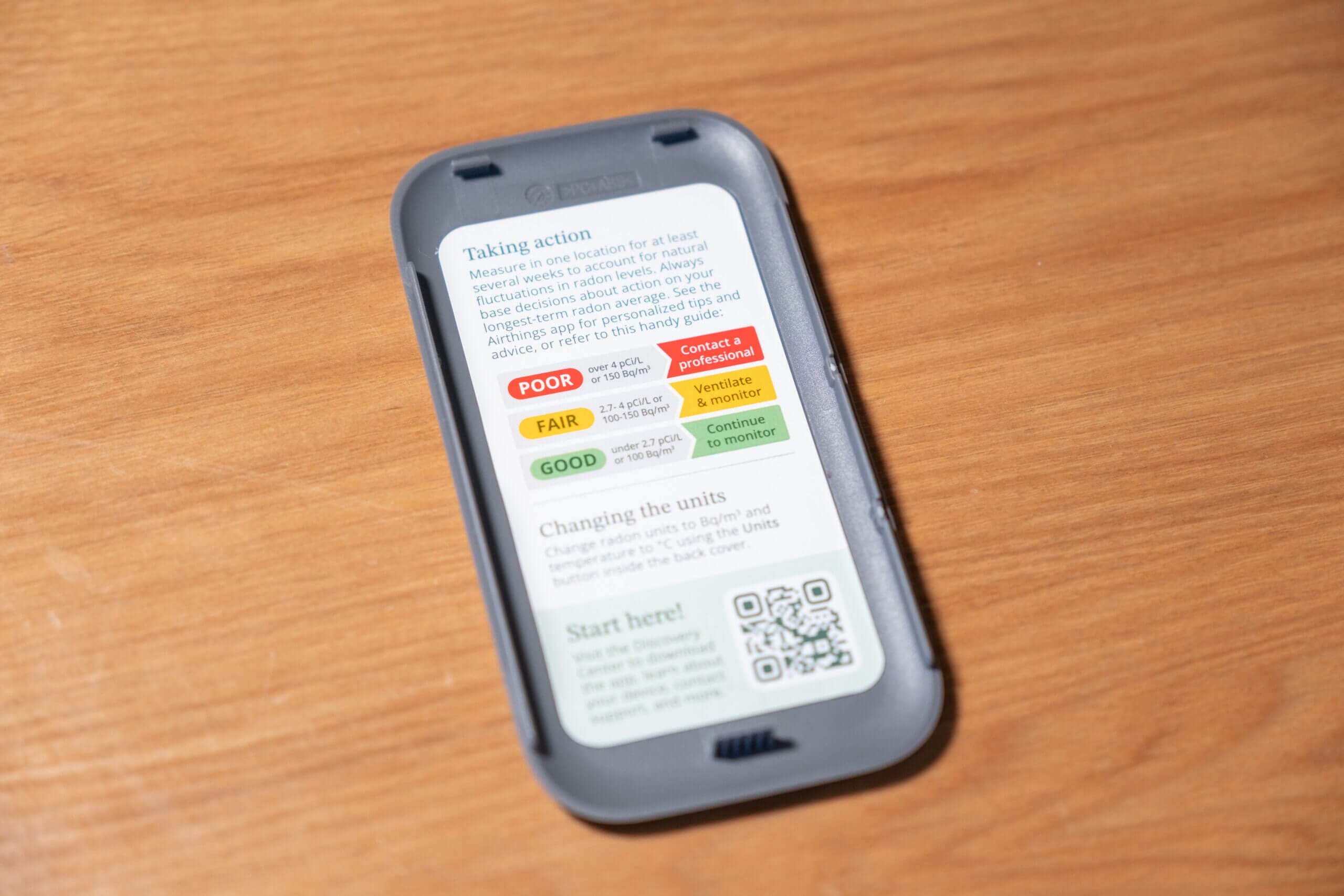
Airthings also moved a few smaller details around. The original comes with a radon level sticker you can stick on the front, while the Home 2 puts the same information inside its back cover. On top of this, the original has a hook mount on the back for hanging it on a wall, which I found odd, since radon monitors work best at least a foot away from walls. The Home 2 hides its hook under the back cover, so it’s only there if you need it.
Connectivity & App
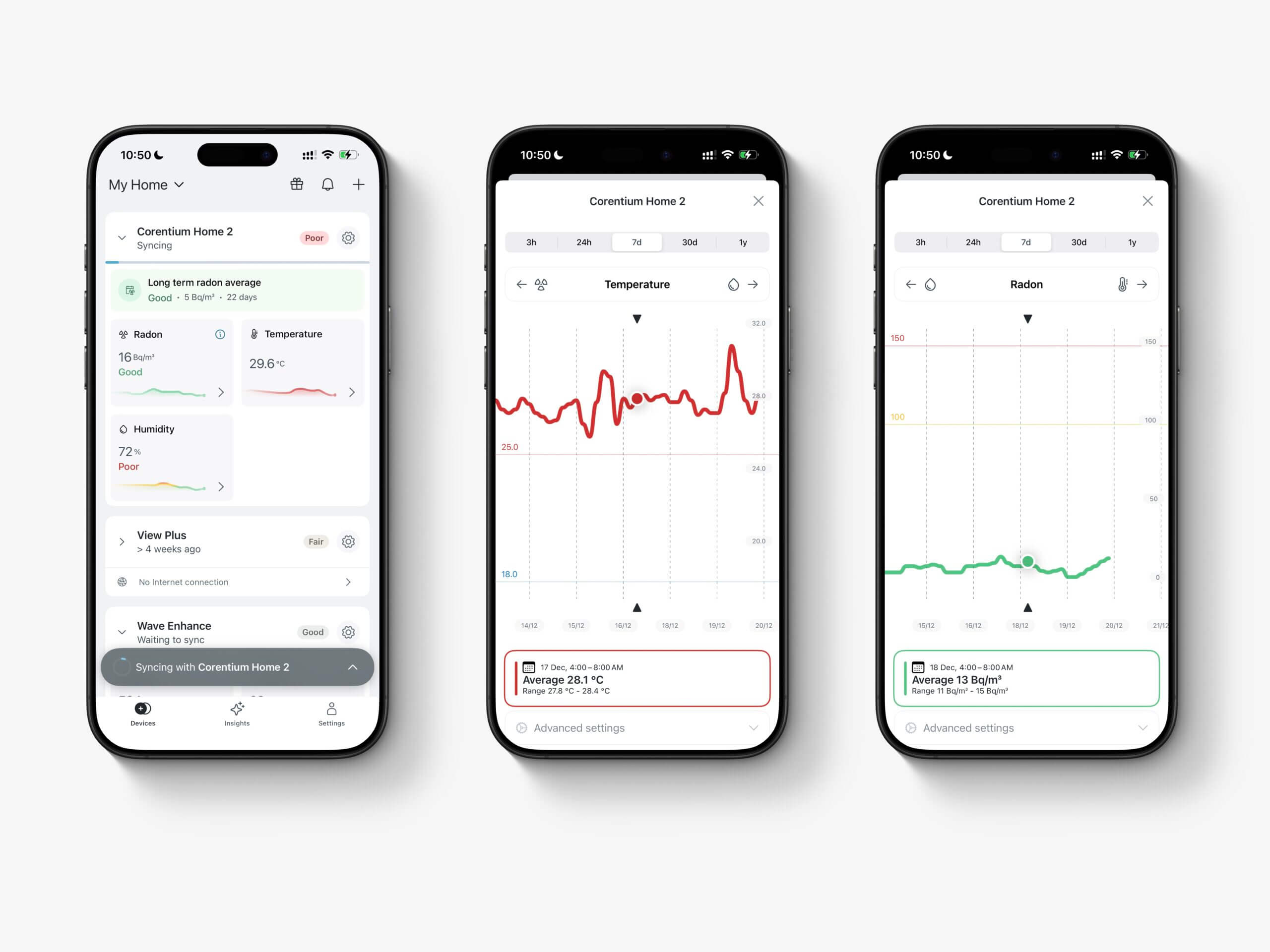
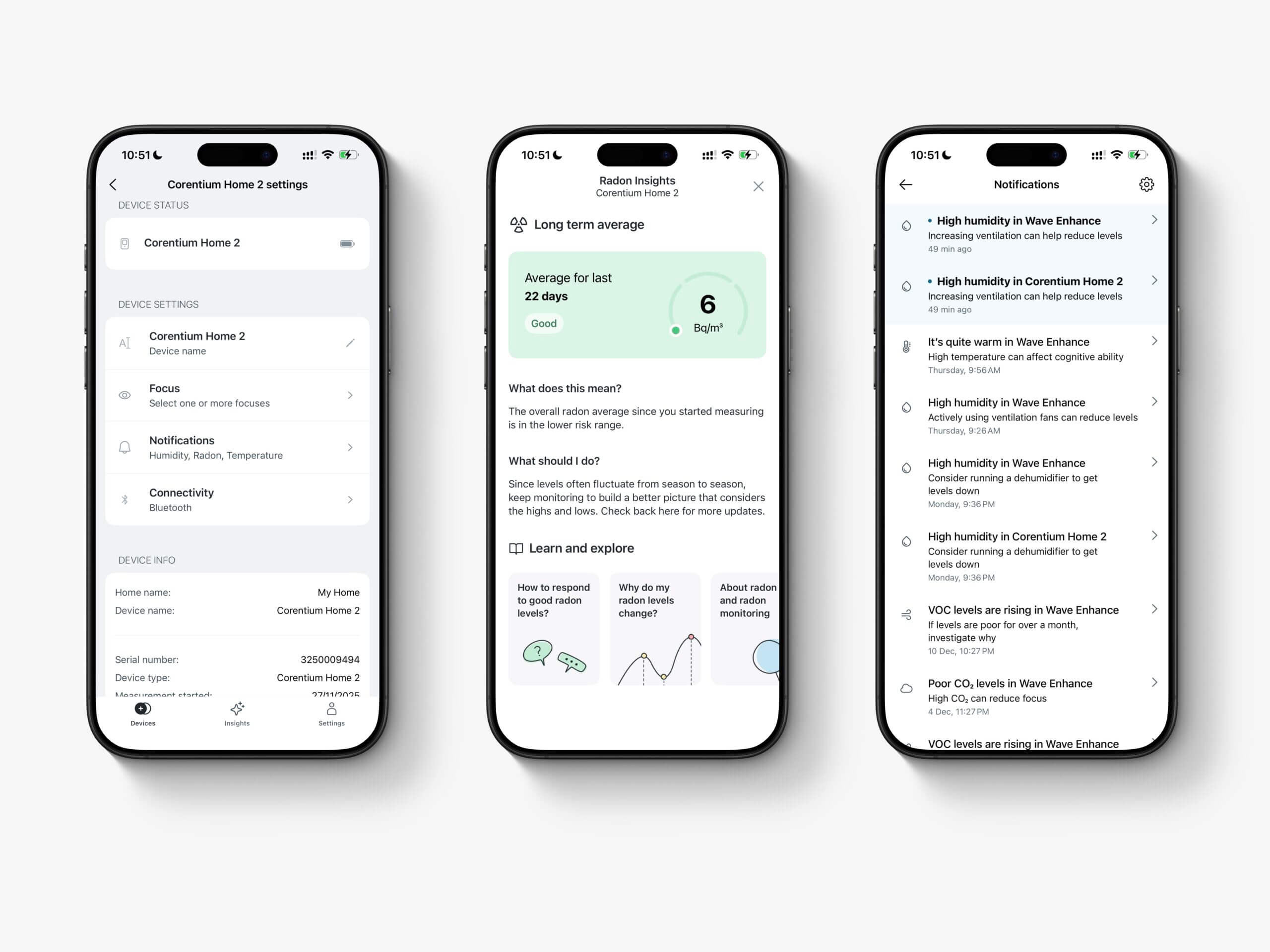
This is where the two devices really separate. The original Corentium Home has no connectivity at all, so what you see on the screen is all you get, with no history and no way to export anything. The Corentium Home 2 adds Bluetooth and works with the Airthings app on iOS and Android.
Pairing the Home 2 with my iPhone was straightforward, as long as I was in the same room. Bluetooth range is short and syncing isn’t quick, so you’ll need to stand near the monitor for a few seconds before the latest data appears. On the plus side, I left it unsynced for three or four days at a time and never lost any data. Radon syncs hourly, while temperature and humidity sync every five minutes, and the app’s graphs cover anything from three hours to a full year.
That year-long view matters more than it might seem. The Home 2’s longest on-screen average is 30 days, so if you want to follow the 90-day guidance from C-NRPP, the app is where you’ll find it. The app doesn’t export data itself, but the free Airthings Business dashboard (using the same account) exports CSV files and creates radon reports. If you own a View Plus or View Radon, it can also act as a hub, passing the Home 2’s readings over WiFi so you don’t need to be nearby.
My main complaint is that notification thresholds are fixed, so you can’t choose the level at which the app warns you. Still, compared with the original, which can’t tell you anything beyond its current averages, the Home 2 is a big step forward.
Pricing, Warranty & Support
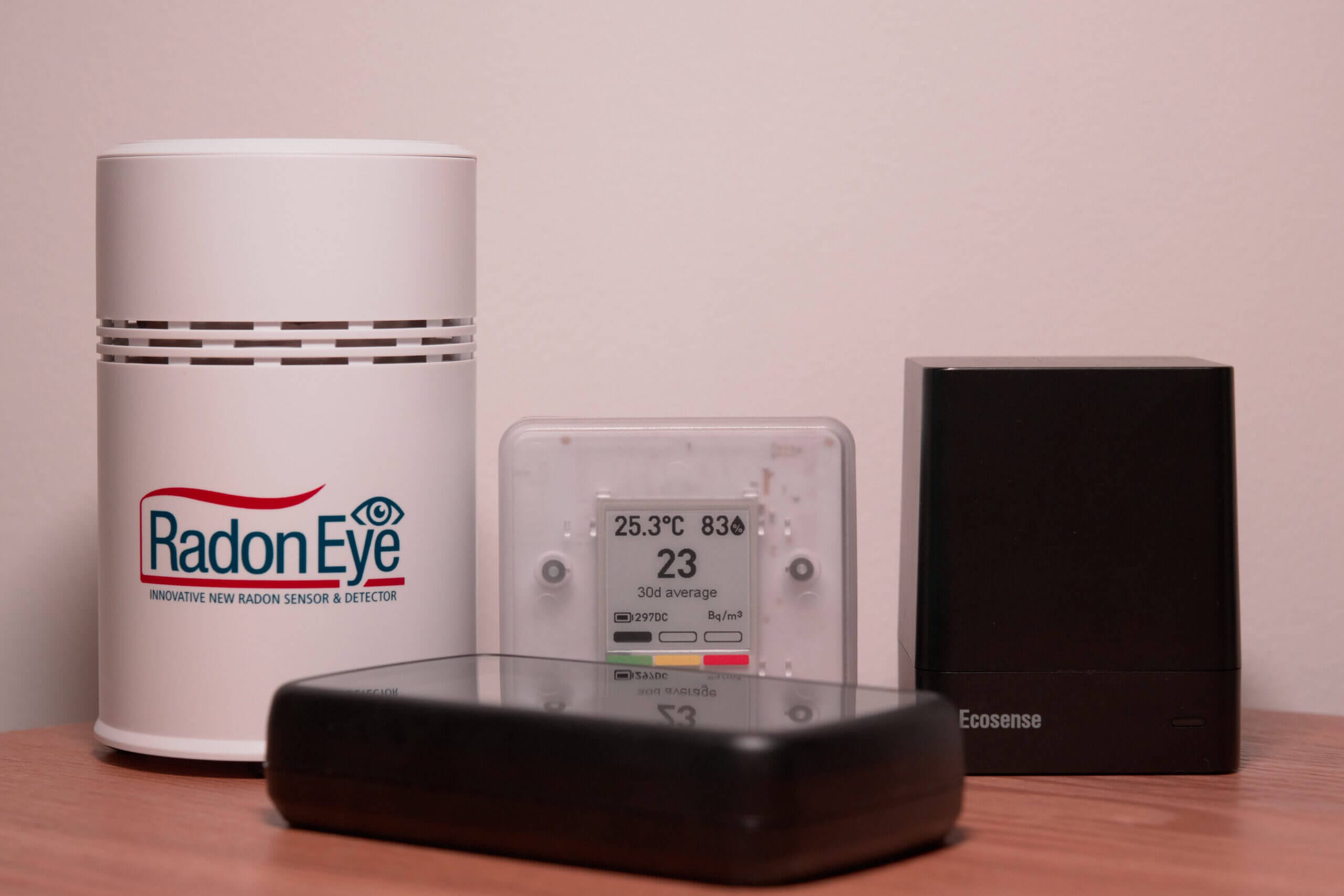
The original Corentium Home launched at $149, and it’s still on sale, while the Corentium Home 2 costs $179. That’s $30 (about 20%) more for Bluetooth, the app, historical graphs, temperature and humidity readings, and the ability to switch units. When I reviewed the original, the Aranet Radon Plus cost $40 more and offered far more features, which is a big part of why I called the Corentium Home overpriced. With the Home 2 at $179, that gap shrinks to just $10.
Airthings also offers an extended warranty of up to five years on the Home 2, but only if you register it within 30 days of purchase, so it’s worth doing straight away. When I contacted Airthings support (using an email address not linked to this site), they replied in around three days with an answer that solved one of my issues with the device.
Conclusion – Is the Corentium Home or Corentium Home 2 Better?

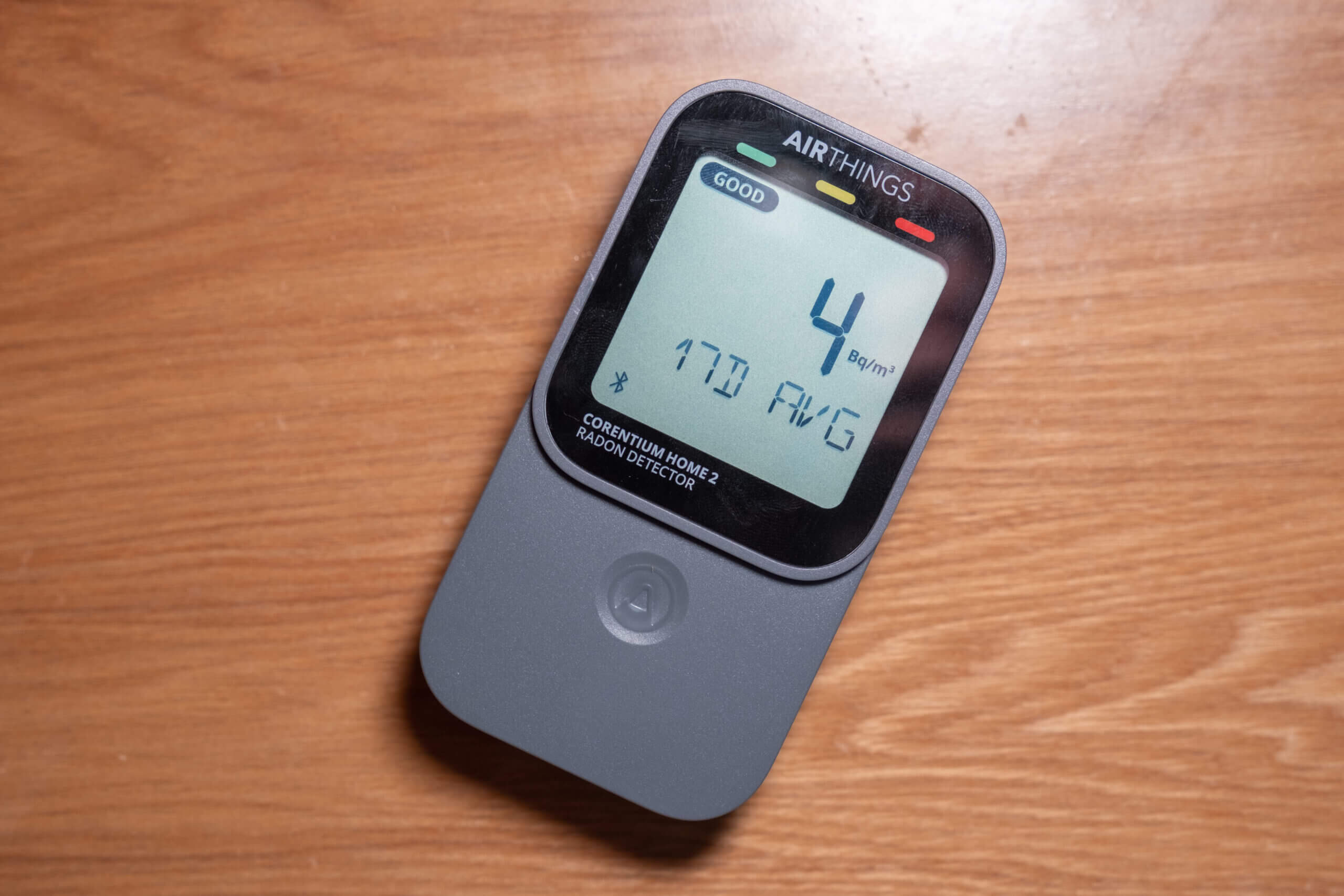
If you’re buying your first radon monitor, I would choose the Corentium Home 2. For $30 more, you get the same proven sensor plus Bluetooth, an app with a year of graphs, a way to export your data, temperature and humidity, and switchable units. The original only makes sense if you’re certain you never want to look at your data on a phone, and even then, the saving is small.
If you already own the original, the answer depends on its age. The sensor hasn’t changed, so a newer Corentium Home will measure radon just as well as the Home 2, and I would only upgrade if you specifically want the app or different units. However, if yours is approaching four or five years old (or less in a high-radon home), it may be due for replacement anyway, and the Home 2 is the natural choice when that time comes.
The original Corentium Home is one I bought myself, while Airthings sent me the Corentium Home 2 for review. Whichever you choose, place it at least a foot from any wall in a room you actually use, and leave it alone for at least a week before you start reading too much into the numbers.
Corentium Home vs Corentium Home 2 FAQ
Is the Corentium Home 2 more accurate than the original?
No. Both appear to use the same Airthings radon sensor, which has graded well in C-NRPP testing, so you should expect very similar accuracy from either.
Can I change the units on the original Corentium Home?
No. The original shows pCi/L or Bq/m³ depending on the market it was sold in, and there’s no way to switch. The Corentium Home 2 can switch units using the buttons under its back cover.
Does the Corentium Home 2 work without the app?
Yes. It shows 24-hour, 7-day and 30-day radon averages, plus temperature and humidity, on its own screen. The app is only needed for graphs, history and exports.
How long do I need to leave either monitor in place?
At least a week before the readings settle, and ideally 30 to 90 days before making any decisions. Airthings recommends at least 30 days, and C-NRPP recommends 90.
Should I upgrade from the Corentium Home to the Corentium Home 2?
Only if you want the app and its data, or if your original is four to five years old and due for replacement. The radon sensor is the same, so there is no accuracy gain.


Comments
No comments yet.