

Quite a while ago now – in fact over a year ago (time flies!) – I received and tested the PurpleAir Zen. At the time, I praised the monitor for its accuracy, robust map platform, and flexibility brought on by features such as the internal SD card slot. However, despite being one of my favourite monitors, I never got around to reviewing its sibling, the PurpleAir Touch. Surprisingly, even though I received the monitors at the same time, I just never got around to sharing my thoughts on the second, more affordable device.
Although I haven’t shared my thoughts on the PurpleAir Touch, it’s a device that I’ve used quite extensively over the past year. I’ve always had it sitting somewhere around my house, and I’ve now become very familiar with it. I don’t really know why I never got around to sharing it on this website, but I decided (finally!) that it’s about time to remedy that. As such, I’m excited to finally present my review of the PurpleAir Touch – the PurpleAir Zen’s little sibling.
Where the Zen is intended to be a flexible monitor that can be used either outdoors or indoors, the Touch is intended to be purely an indoor air quality monitor. Alongside not having a weatherproof design, there are also a few other differences that make this device about $100 cheaper than the Zen. While we will discuss these differences in more detail soon, it’s nice to see PurpleAir creating some lower-cost devices, as their monitors have always previously sat around the $300 mark. Of course, they now have the cheaper PIXEL, which I would love to test at some stage.

With a beautiful display, this is the best standalone indoor AQ monitor.
* This link may be an affiliate link. I can earn from qualifying purchases at no extra cost to you.
An indoor air quality monitor with great performance.
* This link may be an affiliate link. I can earn from qualifying purchases at no extra cost to you.

With dual-PM sensors, this monitor emphasizes accuracy.
* This link may be an affiliate link. I can earn from qualifying purchases at no extra cost to you.
Interestingly, while there is relatively little competition in the outdoor air quality monitoring segment, at least in the consumer price bracket, and PurpleAir could be considered to have pioneered the niche, there is a lot more competition when it comes to indoor air quality monitors. Instead of just competing with three or four devices, the indoor air quality monitoring market has a lot more competition, and the Touch has its work cut out to keep up. So, how does it compare? Well, in this review, I am to answer exactly that question! Let’s dive right in.
This post contains affiliate links. For more information, please refer to my affiliate disclaimer. I was NOT sent a product for review; I purchased this product myself. All opinions expressed in this post are my honest thoughts. I only recommend products that I believe in.
Informational Purposes: Information on this blog is for informational purposes only. Readers are encouraged to confirm the information herein with other sources. This website assumes no responsibility for the accuracy of the information, which is subject to change without notice. Products mentioned on this website are not medical devices and do not guarantee protection.
If you notice any errors or inconsistencies in this article, please contact me so I can update the information accordingly.
Sensors & Accuracy
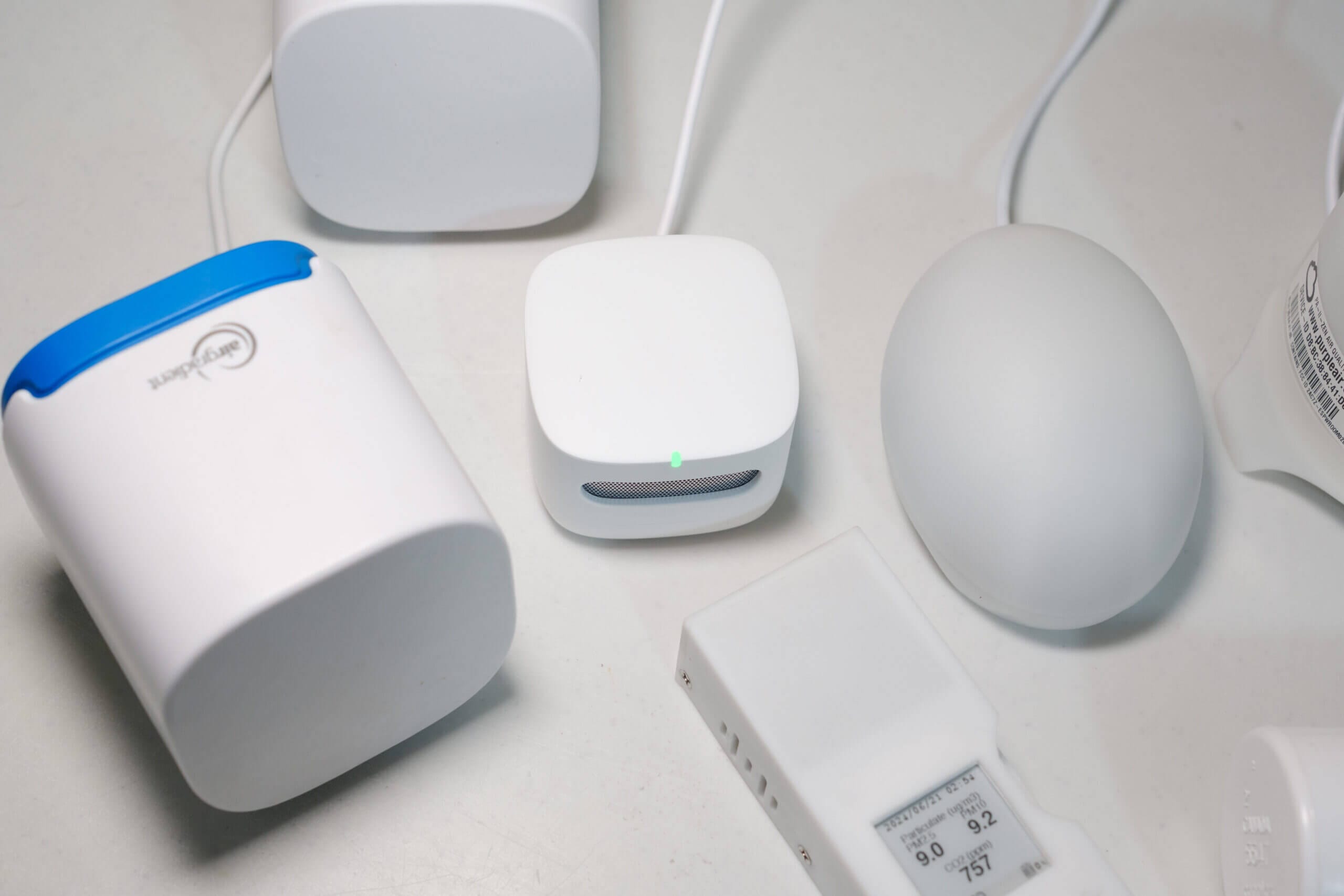
The PurpleAir Touch uses the Plantower PMS1003. If you’ve researched air quality monitors at all, you’ll know that Plantower is a common name in this industry for low-cost particle (PM) sensors. Many large brands, such as AirGradient, Clarity, and PurpleAir, rely on these sensors. While the exact model number differs in some cases – for example, the PurpleAir Zen uses the PMS6003 and the AirGradient ONE uses the PMS5003 – these sensors offer very similar performance, and the differences are usually in size and form factor.
Out of the box, sensors from Plantower are known to overestimate PM concentrations at higher values, and they often underrepresent at lower concentrations. For this reason, some people prefer sensors from other brands (if you check the air quality subreddit, you’ll see lots of opinions on these sensors!). With that said, since Plantower sensors are so commonly used, and by such large brands, they are extensively tested, and there’s no consumer-grade PM sensor brand with more studies and research behind it.
The best example of what this extensive testing has led to is the EPA correction algorithm that was developed by, you probably guessed, the Environmental Protection Agency in the U.S. before adding PurpleAir monitors (the outdoor ones) to the AirNow map. Since the EPA wanted to expand the AirNow map to obtain higher resolution data, they studied and developed an algorithm for PurpleAir sensors that significantly improves their accuracy when measuring wildfire smoke particles. Once corrected, the EPA deemed these low-cost sensors accurate enough to be a helpful addition for the map.
The EPA study (and resulting correction algorithm) is just one example of the studies carried out on Plantower sensors. Despite their flaws in accuracy, there is ample literature explaining exactly where they stand. Furthermore, with these well-studied corrections, it’s possible to significantly improve accuracy from not just Plantowers’ more common sensors, but all of them. Even the next most popular low-cost particle sensor – probably one of the models from Sensirion – is much less studied.
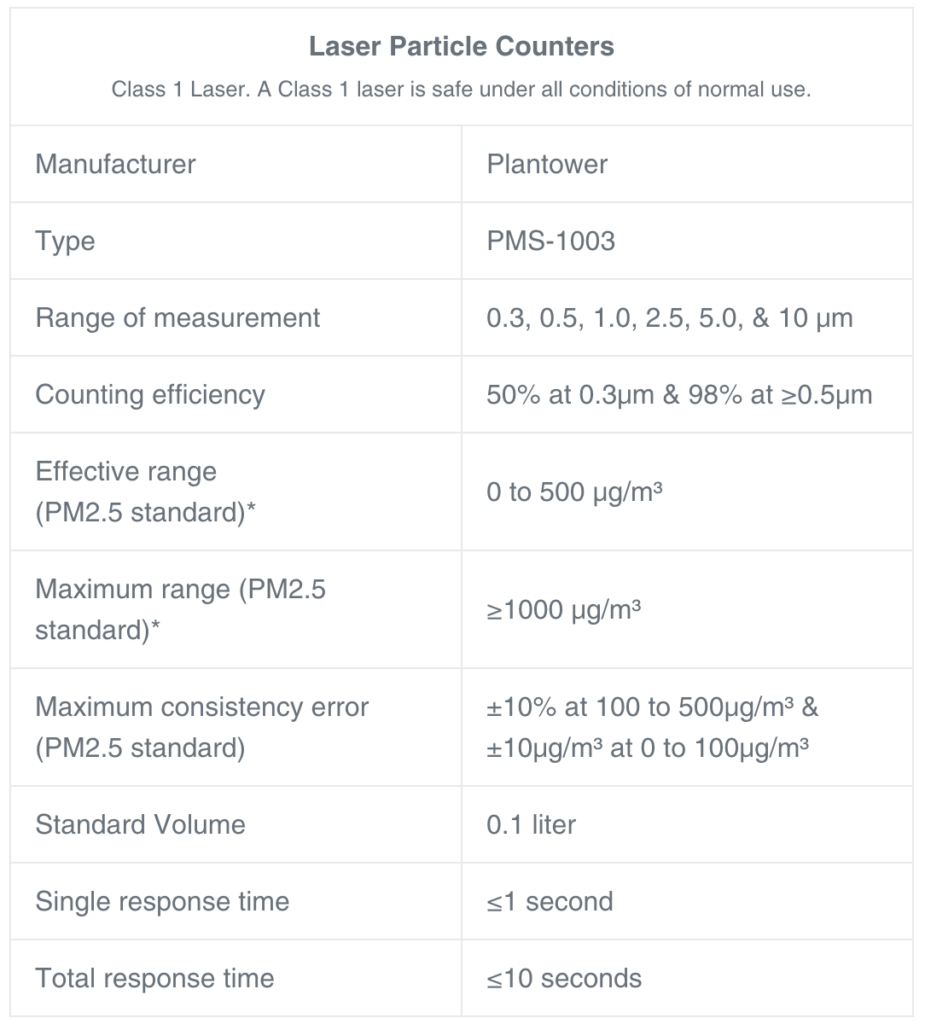
PurpleAir Touch sensor specs.
While the EPA correction algorithm was designed for the PurpleAir outdoor monitors, which rely on the PMS5003 and PMS6003, this correction can also be applied to the readings from the PurpleAir Touch. For reasons you will soon see, this is quite lucky, and it means that the Touch uses a well-studied sensor with accuracy that can be improved through the means of a correction algorithm. Admittedly, the algorithm was developed with wildfire smoke particles in mind, but that’s a discussion outside the scope of this article. Generally speaking, the EPA algorithm will improve accuracy.
So, how does the PurpleAir Touch perform when it comes to accuracy? Well, while AQMD does not have a performance report for this model in particular, they do have one for an earlier version of the PurpleAir indoor monitor using the same sensor. Interestingly, it performed significantly worse than PurpleAir’s outdoor monitors (an R-squared value of 0.75 compared to > 0.90 for the most recent two models of outdoor monitors). While I don’t think you should base your purchases entirely on AQMD Scores (for reasons I discussed here), they do carry out important comparisons to reference-grade equipment. It would be great to see PurpleAir join an AIRLAB comparison for further validation!
I find the results from AQMD quite interesting, as I often see the PurpleAir touch readings deviating from even other PurpleAir monitors like the Zen. This is particularly surprising to me, as the sensor technology is almost exactly the same between the devices. While the sensor in the Touch likely has more noise due to its smaller size, I didn’t expect such a difference in readings. If you would like to read more about this, I recommend reading this review (specifically, the ‘accuracy’ section) as I compared the Touch and Zen there.
What I found during that review is something that I’ve continually noticed with this device – the Touch seems to read almost identically to the Zen (and other Plantower-based monitors) at mid PM concentrations, and as the concentrations increase, it tends to overreport significantly. I know this because other Plantower sensors are already known to overreport at higher concentrations, and the Touch reads significantly higher than the Zen and AirGradient ONE at these concentrations. On the other hand, it often reads lower than other Plantower-based monitors at lower concentrations, which is interesting as these sensors are also known to underreport at lower concentrations. For example, at lower concentrations, please see the graph below.
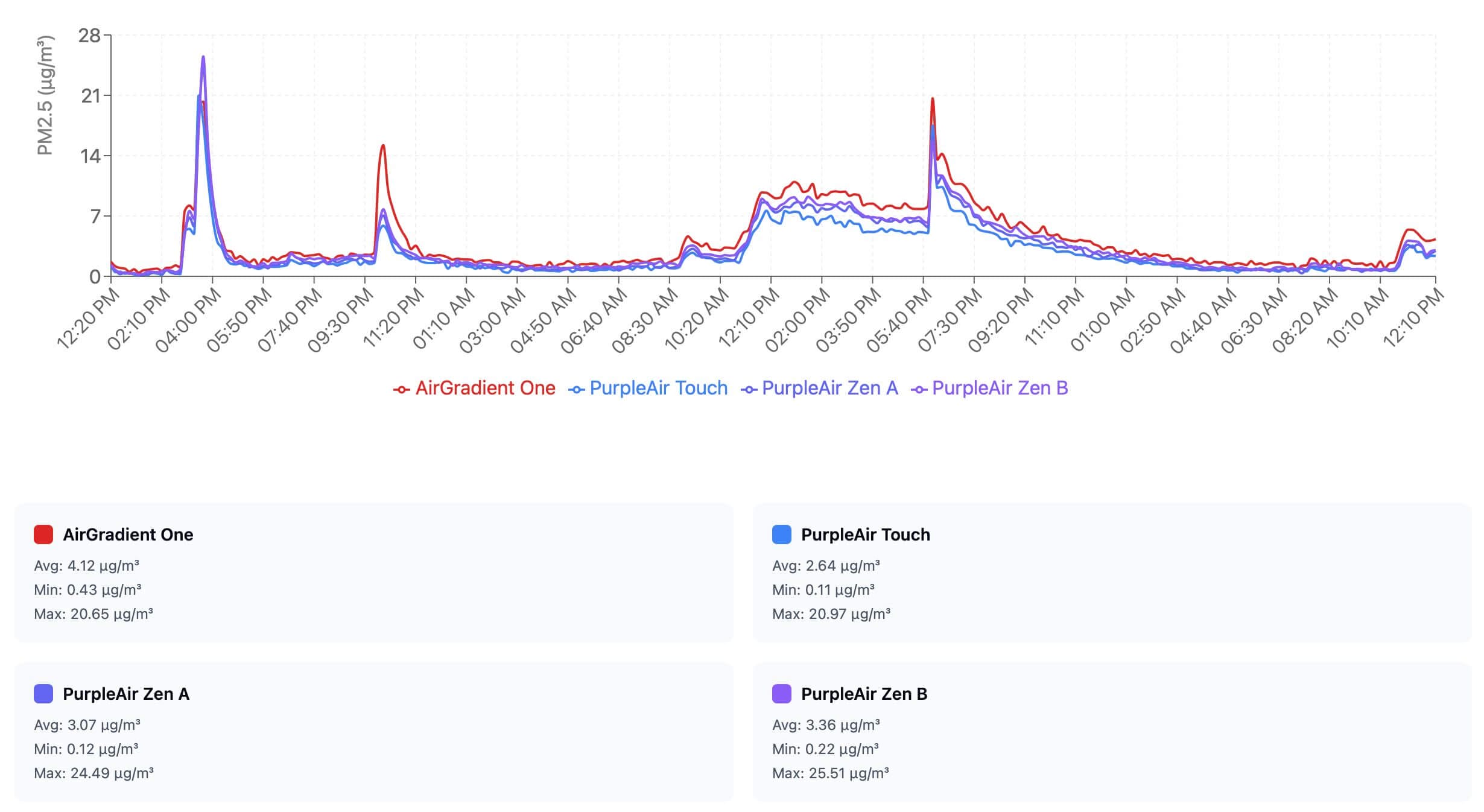
What I found particularly interesting during my review of the PurpleAir Zen was the drastic change that applying the EPA algorithm made. As such, and since I would recommend most people use it, I decided to apply the correction to data from both this monitor and the Zen to see the results. For this comparison, I did not apply the correction to the AirGradient monitor (which also uses the same sensor, and, for the best performance, should have the algorithm applied). Below you can see the vast difference this created (the data is in 30-minute averages).
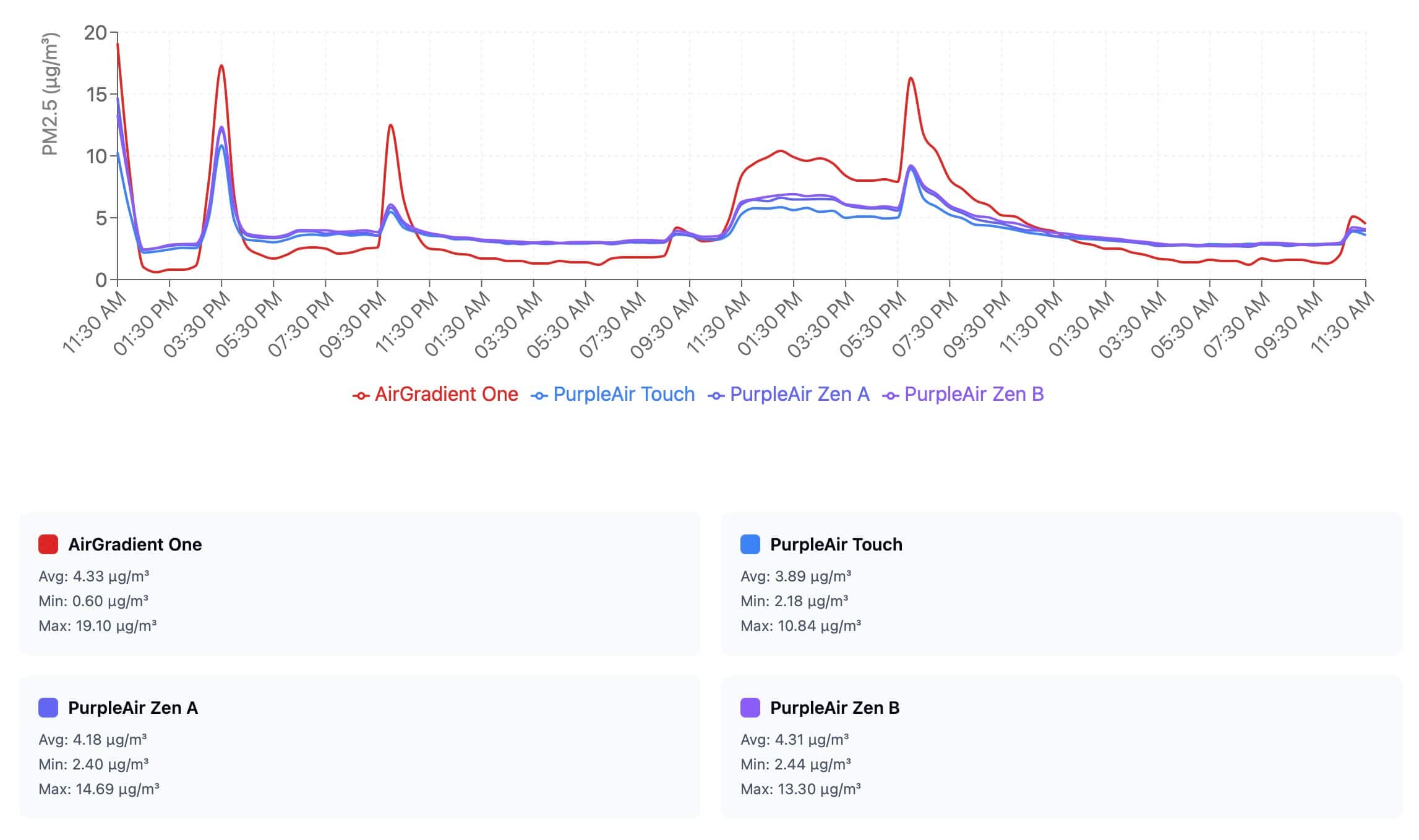
With this applied, you can see both how the correction better aligns the data from the different PurpleAir monitors and how it makes it read quite differently from the AirGradient monitor (which I used as an uncorrected baseline for this comparison). While I did find the EPA correction to cause the Touch to read significantly lower than the Zen at higher concentrations (please see my PurpleAir Zen review for more information), the similar readings between the monitors with the correction applied is a good sign.
Overall, the PM2.5 readings from the Touch align well with the Zen, which we know to be an accurate consumer-grade device due to third-party comparisons against reference equipment. While there are some deviations, especially at higher concentrations, the device is still more than good enough to get general ideas about the trends of your air quality and to get an estimation of the real concentration. While I would prefer a Zen when it comes to accuracy alone, the Touch is still a good performer and a device you can trust.
The PurpleAir Touch also has a Bosche BME680 sensor, which is used to measure VOCs (it also measures temperature, relative humidity and air pressure). However, since the new sensor has been included in their monitors, PurpleAir has labelled the readings as ‘experimental’. While I think the wording ‘experimental’ is not great, given that the operation of VOC sensors is now well established, I appreciate that PurpleAir is cautious with the readings from this sensor and highlights this fact regularly on its forum.
So, what’s the issue? Well, most current-gen VOC sensors (those from both Sensirion and Bosch, anyway, which make up the majority of the market) don’t report an absolute value in parts per million (ppm) or parts per billion (ppb) and instead report based on a unit-less index. These indexes have rolling baselines, and they should not be used to identify absolute VOC concentrations. Instead, they’re only useful at identifying trends. This AQMD report on a PurpleAir monitor using this sensor visualises this very well.
The issue is that users often see readings from these sensors and assume they are in a unit (such as ppb). This is made even more confusing because some manufacturers convert this index value into an ‘absolute’ value that is completely inaccurate. For proof of just how confusing these sensors can be, I recommend checking out this (very long) thread.
Therefore, VOC sensors in low-cost monitors should only ever be used to identify trends. This is not unique to PurpleAir and is an industry-wide issue. I appreciate how transparent PurpleAir is about the measurements from this sensor – you can visit their forum and search for ‘VOC’ to see this. While I find the wording ‘experimental’ to be a bit confusing, it’s great to see them highlighting the flaws and caveats of these sensors.

BreatheSafeAir is a one-person publication. Every share and every subscriber is important to me.
I don’t have a marketing budget or a team behind me. Just a lot of test equipment and a genuine interest in helping you make sense of your air quality. If you find this useful, subscribing to my newsletter is the best free way to support the work. You’ll get information on what I’m currently testing, findings that don’t make it into the full reviews, and the kind of detail you only get from someone who thoroughly tests these devices.
Design
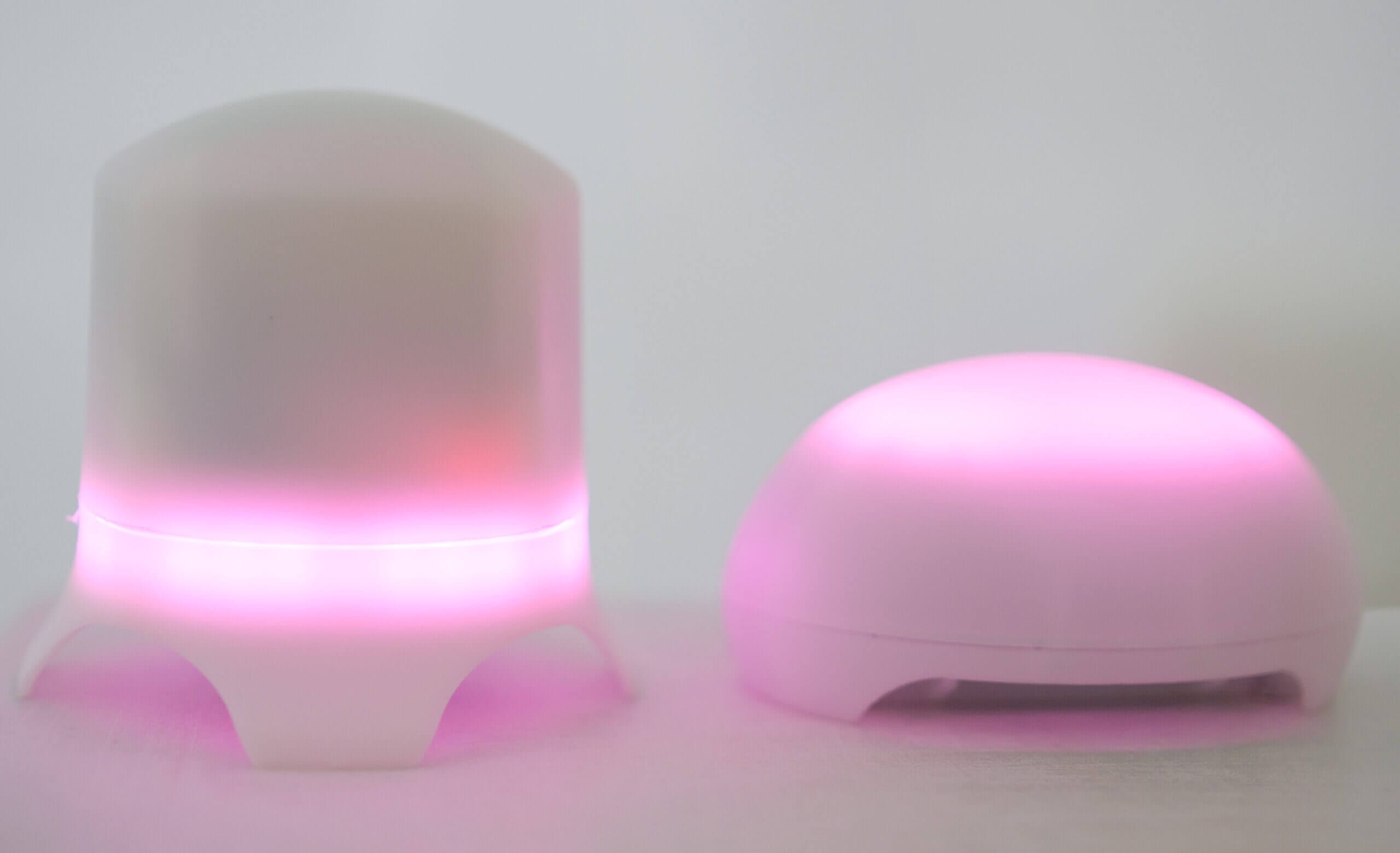
Unfortunately, I appear to have accidentally lost my photos of the Touch, and I have to rely on these (not very good) older photos, as I don’t currently have the monitor with me.
The PurpleAir Touch is a very simple air quality monitor, and this is best displayed through the design of the device. To be honest, I’m not the biggest fan of the design, and it makes me sad because I appreciate the accuracy and academic backing that this device has, especially for an indoor air quality monitor.
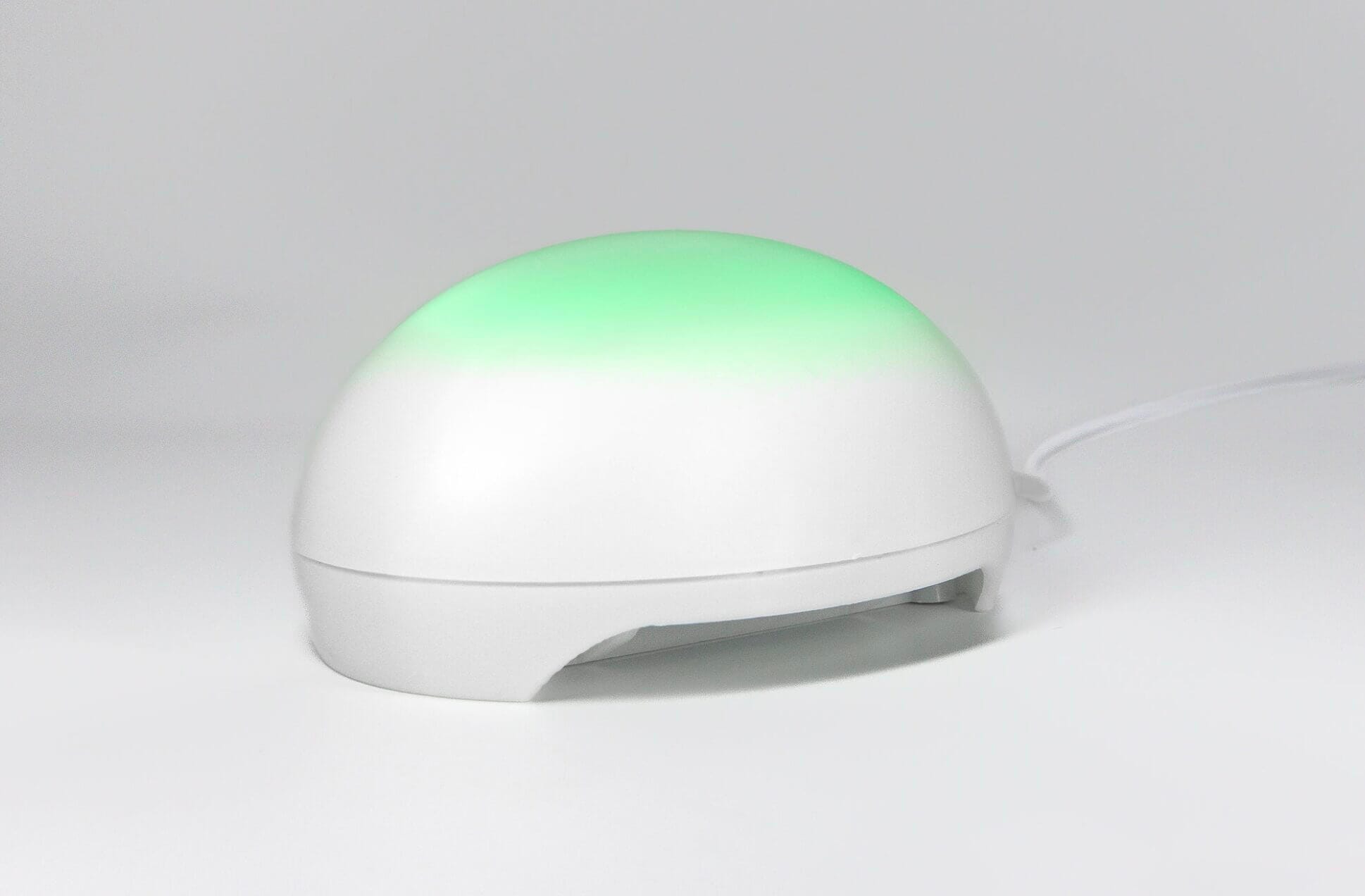
Similarly to the Zen, the PurpleAir Touch appears to be 3D-printed using a translucent plastic. Underneath this plastic are a few LEDS that light up to show you the current air quality based on the AQI thresholds set by the U.S. EPA. The only way you can interact with the device is by double-tapping the top, which will allow you to alternate through a few different LED brightness options. If you want more information than the current PM2.5 band, you will need to use the web app.
Unfortunately, where I found the Zen to generally respond quite well to my double-taps, the Touch appears to be far less responsive. There are times when I will double-tap it, and then double-tap it again, and again, before pressing it quite hard for it to respond finally. In fact, for my testing, I often had the Zen and the Touch next to each other, and the Zen would respond to the taps before the Touch… Even though I was tapping the touch! I’m unsure if this is a fault with my particular unit, and I would love to hear more experiences with the device to determine if it’s a widespread problem. However, I wasn’t too impressed since the one way to interact with the device appeared to be unresponsive at times.
As I mentioned, you can change the brightness of the LEDs by double-tapping multiple times. At the highest brightness setting, this device is bright! In fact, it’s so bright that it will light up your whole bedroom if you’d like. The lower brightness settings are much more usable, and I generally keep mine at the 2nd or 3rd level unless it’s night time. Then, I will turn it off entirely. While I did find the double-tapping to be frustrating since it’s often not very responsive, I like the concept of this control scheme as it makes it very easy to turn off the LEDs before bed.
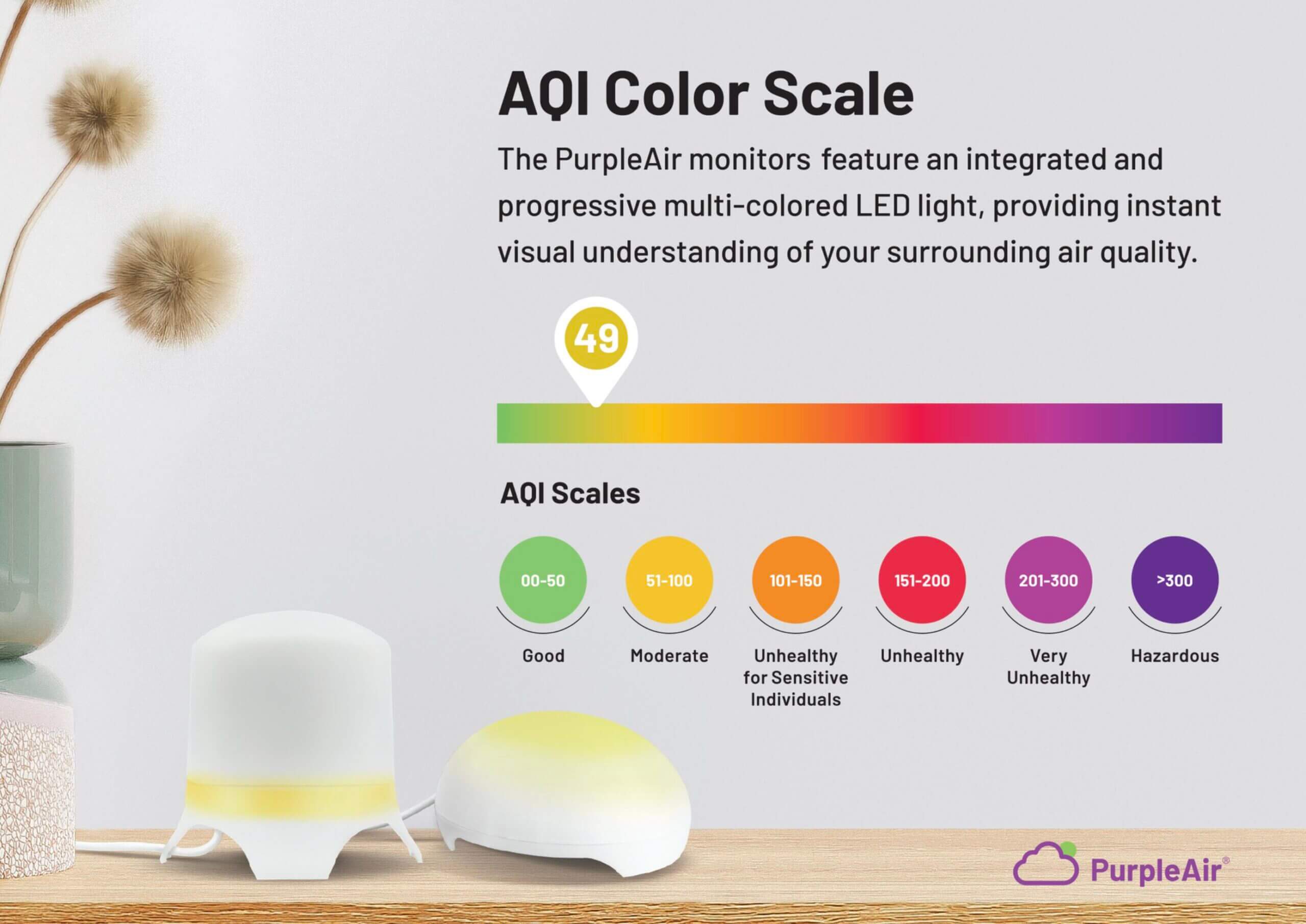
I appreciate how PurpleAir uses a scientifically backed AQI scale.
The other aspect of the Touch that bugs me is the lack of a removable/replaceable USB cable. Where the Zen lets you remove and replace the cable, the Touch comes with it built-in, which I find less than ideal. While it’s a small thing, I wish PurpleAir kept the same approach with the Touch and allowed the user to easily replace the cable and even unplug it entirely when not in use.
Other than these aspects, the Touch is quite similar to the Zen. However, while I didn’t mind the design on the Zen – I see it more as an outdoor monitor that needs to be weatherproof – I don’t think this design is ideal for an indoor monitor. At this price range, the Touch is competing with devices with beautiful displays like the Qingping Air Quality Monitor. Even when compared to devices without displays in the same price range, like the Airthings Wave Plus, these other devices tend to be far more aesthetically pleasing and have more functionality built in (such as being battery-powered).
For these reasons, I do feel like the Zen is not as well designed compared to other devices at similar, and even cheaper price points. For an outdoor monitor, I don’t think this matters as much, and there are other factors to be considered, but this device feels like an afterthought based on the PurpleAir Zen design. In isolation, I don’t think this is a big deal, but when you look at monitors like those from Qingping, Airthings or Awair, it is instantly apparent.
Connectivity & Web App
The PurpleAir Touch uses WiFi (2.4 GHz) to connect and send data to the accompanying web app. Since the device does not have a screen, you will need to use the web app to access more detailed insights beyond the general PM range. Of course, if all you want to see is the general PM range at any given time, you can see this by looking at the colours of the LED on the device.
As with most air quality monitors, the Touch is only compatible with 2.4GHz WiFi, meaning that it won’t work with most newer networks. Luckily, as we’re still in a transition period, most routers can broadcast 2.4 GHz and 5 GHz networks simultaneously. However, I am looking forward to the day when all of these ‘smart’ devices support 5 GHz networks, so no second network is needed. I definitely can’t hold this against PurpleAir, though, as it’s common across all devices in this industry.
The onboarding process to connect the Touch to WiFi is quite straightforward, and it will involve you registering the device (via the device’s serial number) to your email. While I don’t think it’s a big deal, I did find it somewhat frustrating that I had to connect the device to the same email I had made the purchase from. In most cases, this wouldn’t bother me at all, but I wish I could connect the device to my Gmail account instead of the @breathesafeair email I used for my order. This is minor, however, and just something to keep in mind if you haven’t purchased the device yet.

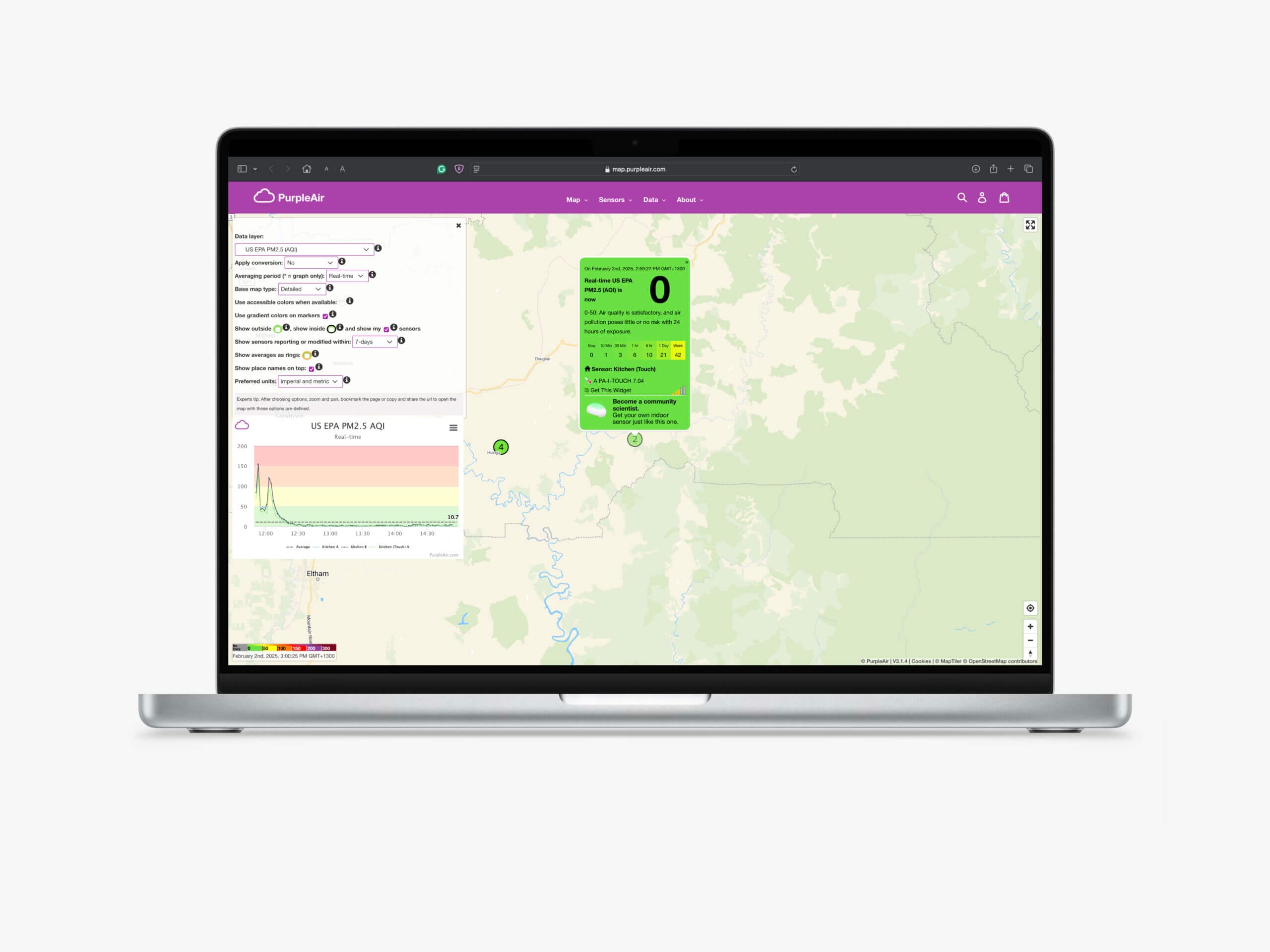
Once you’ve connected the device, you will need to visit the PurpleAir map, ensuring you are logged in. Since the Touch is an indoor monitor, it won’t show on the map publicly unless you allow it to. Unless it’s in a public space, like a library, I would generally recommend keeping it private as it may confuse other people otherwise (there is a filter to hide indoor devices on the map, but it’s not on by default).
For outdoor devices, I think the PurpleAir map is a great platform, and it’s also very powerful with its numerous options and settings. However, I’m not such a fan of it for an indoor device. When it comes to an indoor monitor, I typically want a dashboard that’s easily accessible, similar to Airthing’s monitor dashboard. With the Touch, though, everytime I want to view data I have to go to the worldwide map, locate my monitor, and then set the filters I want. While it’s possible to bookmark a specific monitor, I still think this approach is far less ideal for an indoor monitor.
Now, this isn’t to say I don’t like the map. In fact, I think it’s one of the most powerful and useful air quality maps out there. However, it is obvious that it’s designed for outdoor monitors, and PurpleAir didn’t want to use the resources to make a different dashboard for the indoor monitor. At the end of the day, I don’t think it’s that big of a deal, but I do wish they had a dedicated dashboard similar to what Qingping, Airthings, or IQAir have – whether through an app or web platform.
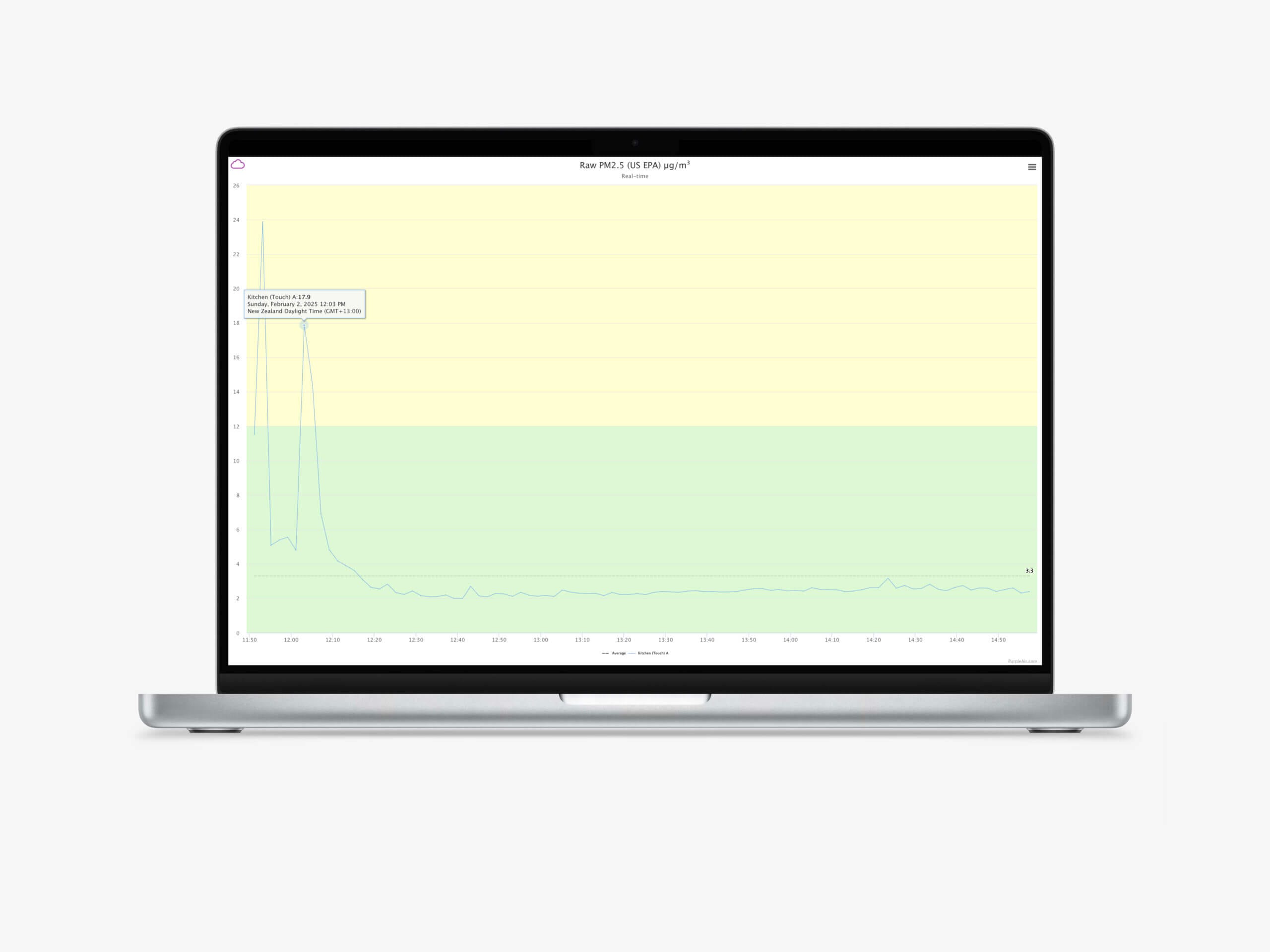
Once you’ve located your monitor on the map, you can change settings (such as the correction/calibration algorithm, averaging period, and more) and see historical data from the monitor in question. However, again, it’s clear that most of the options here are aimed at the outdoor monitors, which contribute to the map. Unfortunately, this feels like a half-hearted attempt to integrate an indoor monitor into a platform clearly intended for outdoor devices.
As with the outdoor PurpleAir monitors, you can only view three days of historical data (at 10-minute intervals – you can download longer periods if you decrease the data resolution) on the map app. If you own the monitor, you can access longer-term data, but you will need to use the API to do so. As I discussed in my PurpleAir Zen review, I dislike the need to use an API to see more than three days of data from my own monitors (I’ve had quite a few problems retrieving my own data at times). If there were a separate platform/web dashboard for the indoor monitors, this wouldn’t be an issue.
It is worth mentioning that PurpleAir monitors also offer a local API that allows users to query their monitors without the need for using the public API. However, unless you integrate this with another platform, there is no native dashboard. At the end of the day, I don’t think this will be much of an issue for those who already have outdoor PurpleAir monitors – and, even if not, it’s far from a dealbreaker – but for anyone looking to pick up their first air quality monitor for indoor use, I think there are better platforms out there.
Pricing & Competition
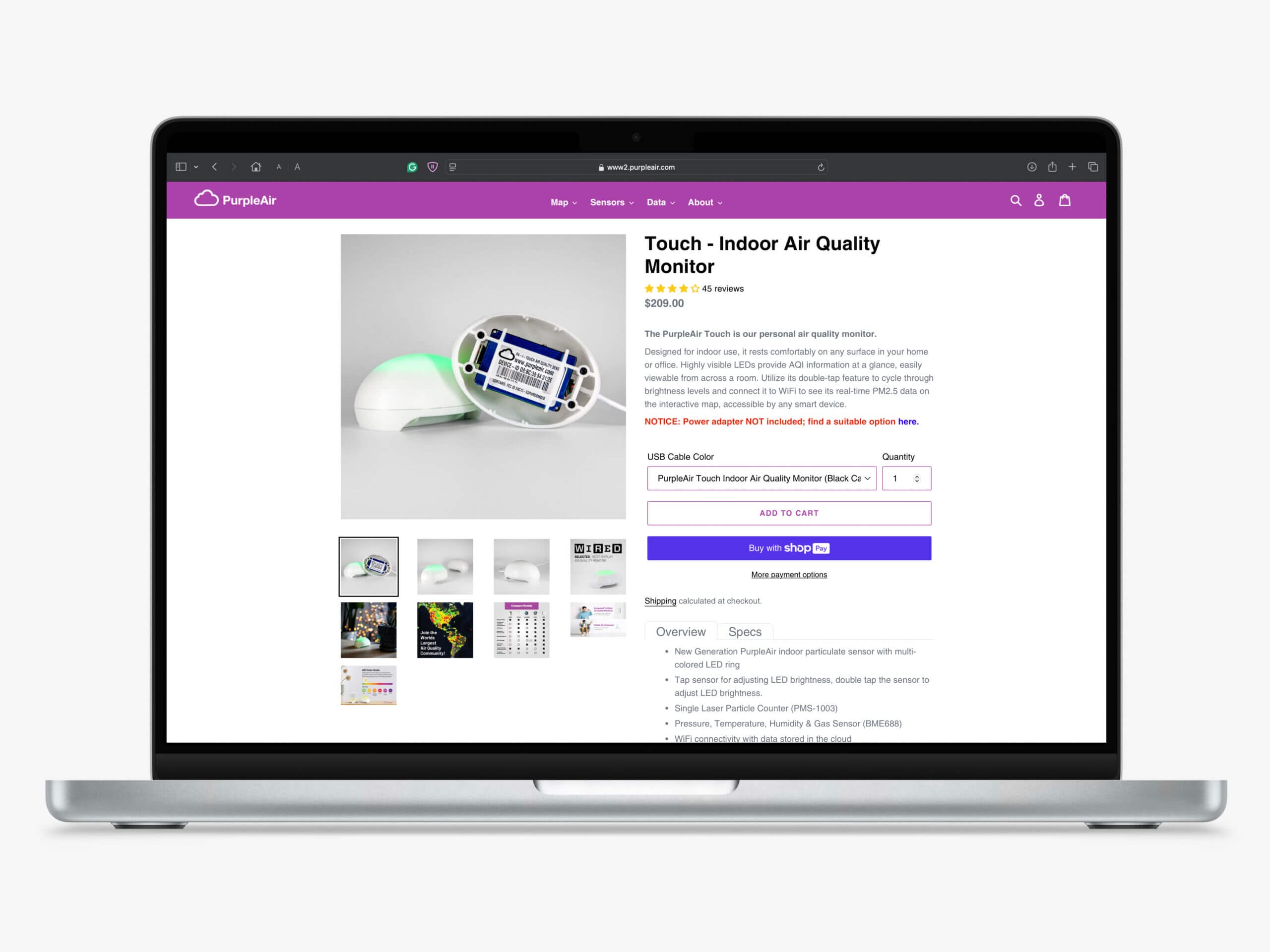
The PurpleAir Touch comes in at $209, putting it in the mid-high tier range of indoor air quality monitors. I won’t lie – I think the price is a bit high considering what it offers. Even compared to its bigger sibling, the PurpleAir Zen, I think the Touch offers a value proposition that is hard to justify. Let me explain why.
For around the price, or even much cheaper, there are far more fully-fledged monitors available. For example, the Qingping Air Quality Monitor Generation 2 comes in at $50 less and has a large touchscreen, extra sensors (CO2 being the most notable) and arguably better connectivity. While one could argue that PurpleAir has better scientific backing, I’ve found both monitors to provide very similar PM values, and I think they’re largely using their reputation to charge this price.
If you’re willing to pay a bit more, you will also find far more feature-rich monitors, such as the Airthings View Plus and Wave Plus, as well as monitors from companies such as AirGradient and Airthings. While it’s easy to argue back and forth when it comes to features, I believe a monitor at this price should at least have a carbon dioxide sensor if it’s designed for indoor use.
If you’re already paying this much for a device that is designed only to measure PM, I think the PurpleAir Zen offers a more compelling option. Sure, it is $90 more at $299, but it has the flexibility of being usable both indoors and outdoors. While the additional features, like an added PM sensor and internal storage, are not needed on an indoor monitor, the more well-studied sensor is a big bonus, especially with the differences I noted in the accuracy section.
The PurpleAir Touch will still appeal to some people, and I think that’s great – more accurate air quality monitoring options are never a bad thing. However, I do find it hard to justify the cost of the PurpleAir Touch when there are far more well-rounded indoor air quality monitors at similar, and even much lower prices. Even if you would prefer to stick with PurpleAir, I think the Zen may be a better choice for many. If the Touch were priced at $150, I think this would make a much more compelling device. Alternatively, if PurpleAir were to update this device to also include an NDIR CO2 sensor, I think they could keep it at this price point.
Conclusion
So, where does that leave my thoughts on the PurpleAir Touch? Well, I think it’s a decent indoor air quality monitor, but I find it hard to like this monitor at the price and with the feature set it provides. Let me summarise my thoughts below.
I am a big fan of the outdoor PurpleAir monitors (like the Zen), and you can see that in my full review. However, many of the strengths of the Zen – the design that allows you to see the air quality at a glance without compromising on weather sealing, the well-studied sensors and fantastic map integration, to name a few – just don’t carry over well to the Touch. Furthermore, the Touch seems to be attempting to replicate the Zen, just with a few cut-down features to reduce the cost. I think it would have been a much better approach to create an entirely different indoor monitor.
For example, while I love the map for the outdoor monitors, I dislike needing to use the map just to see (a limited amount of) data from my indoor monitor. To be honest, I don’t think indoor monitors should be included on the map at all. The lack of a display hurts the monitor more due to, as other monitors in the same price range that lack a screen (like the Airthings Wave Plus) have great dashboards that provide a wealth of information. There are also much cheaper monitors (like the Qingping Air Quality Monitor Gen 2) that have both a fantastic screen and an accompanying app.
I’m also not the biggest fan of the design. While it works okay, it seems to be much less responsive to taps than the PurpleAir Zen, and the removal of a user-removable USB cable is interesting. While $80 isn’t insignificant, I think the Zen is a much more solid monitor, even if I think it is still primarily focused on being an outdoor device.
There are also some aspects of the Touch that I like. For example, the sensor choices here (and the transparency around how the VOC works) are great. While the accuracy of this device appears to be slightly lower than PurpleAir’s outdoor monitors, the sensor is still well-studied and tends to perform well, especially once you apply the EPA algorithm to the data. On top of this, if you already have an outdoor monitor from PurpleAir, using the same platform just makes sense.
If you want a PurpleAir device for your indoor monitor, this isn’t a bad choice by any means. However, I think it would be a much more compelling device if it sat at around $150. Alternatively, the addition of a carbon dioxide sensor (which I would consider essential on an indoor air quality monitor) could justify the price tag a bit better.
Have you tried the PurpleAir Touch? If so, I would love to hear your thoughts in the comments. Thank you for reading!
- Uses well-studied Plantower sensor with extensive research backing
- EPA correction algorithm available to significantly improve accuracy
- Integrates seamlessly with PurpleAir Map (great if you have an outdoor monitor from PurpleAir)
- Transparent about VOC sensor limitations and “experimental” nature
- Simple setup process and WiFi connectivity
- Reads similarly to more expensive Zen model at mid-range concentrations
- Local API access available for advanced users
- High price ($209) compared to competitors with more features
- Poor touch responsiveness – often requires multiple attempts to register taps
- No display or screen – must use web app for detailed data
- Map-based interface poorly suited for indoor monitoring needs
- Non-removable USB cable limits flexibility
- Missing CO2 sensor for indoor air quality monitoring
- Less accurate than PurpleAir’s outdoor monitors (R² 0.75 vs >0.90)
How accurate is the PurpleAir Touch compared to other air quality monitors?
The PurpleAir Touch uses the Plantower PMS1003 sensor, which tends to overestimate PM concentrations at higher values and underestimate at lower concentrations. While AQMD testing showed it performed worse than PurpleAir’s outdoor monitors (R-squared of 0.75 vs >0.90), applying the EPA correction algorithm significantly improves accuracy. The device reads similarly to other Plantower-based monitors at mid-range concentrations but can deviate at very high or low levels.
What’s the difference between the PurpleAir Touch and the PurpleAir Zen?
The Touch is designed purely for indoor use and costs about $100 less than the Zen ($209 vs $299). Key differences include: the Touch isn’t weatherproof, uses a different sensor (PMS1003 vs 2x PMS6003), has a non-removable USB cable, and does away with the micro SD card slot. The Zen offers more flexibility for both indoor and outdoor use with better build quality and additional features like internal storage.
Does the PurpleAir Touch measure more than just particulate matter?
Yes, the Touch includes a Bosch BME680 sensor for VOC (Volatile Organic Compounds) measurement. However, PurpleAir labels these readings as “experimental” because VOC sensors in consumer devices only provide relative index values, not absolute concentrations. These readings should only be used to identify trends, not determine actual VOC levels in parts per million or billion.
How do you view data from the PurpleAir Touch?
Since the Touch doesn’t have a display, you must use PurpleAir’s web-based map platform to view detailed data. The device shows general air quality through colored LEDs, but for historical data, trends, and settings adjustments, you’ll need to log into the PurpleAir map, locate your device, and navigate through the interface. Only three days of detailed historical data are available through the web interface.
Is the PurpleAir Touch worth the $209 price tag?
I believe the Touch pricing is a bit high. Competitors like the Qingping Air Quality Monitor Gen 2 cost $50 less while including additional sensors (like CO2), touchscreens, and better connectivity. For those wanting a PurpleAir device, the Zen might be better value despite costing $90 more, or that the Touch would be more compelling at $130-150.
Who should consider buying the PurpleAir Touch?
The Touch is best suited for users who already own outdoor PurpleAir monitors and want consistency across their platform, or those who prioritize the scientific backing and EPA correction algorithms available for Plantower sensors. However, first-time buyers looking for indoor air quality monitoring might find better value and features in competitors like Qingping or Airthings that offer more comprehensive sensor suites and better user interfaces.


